What Are Managed IT Services?
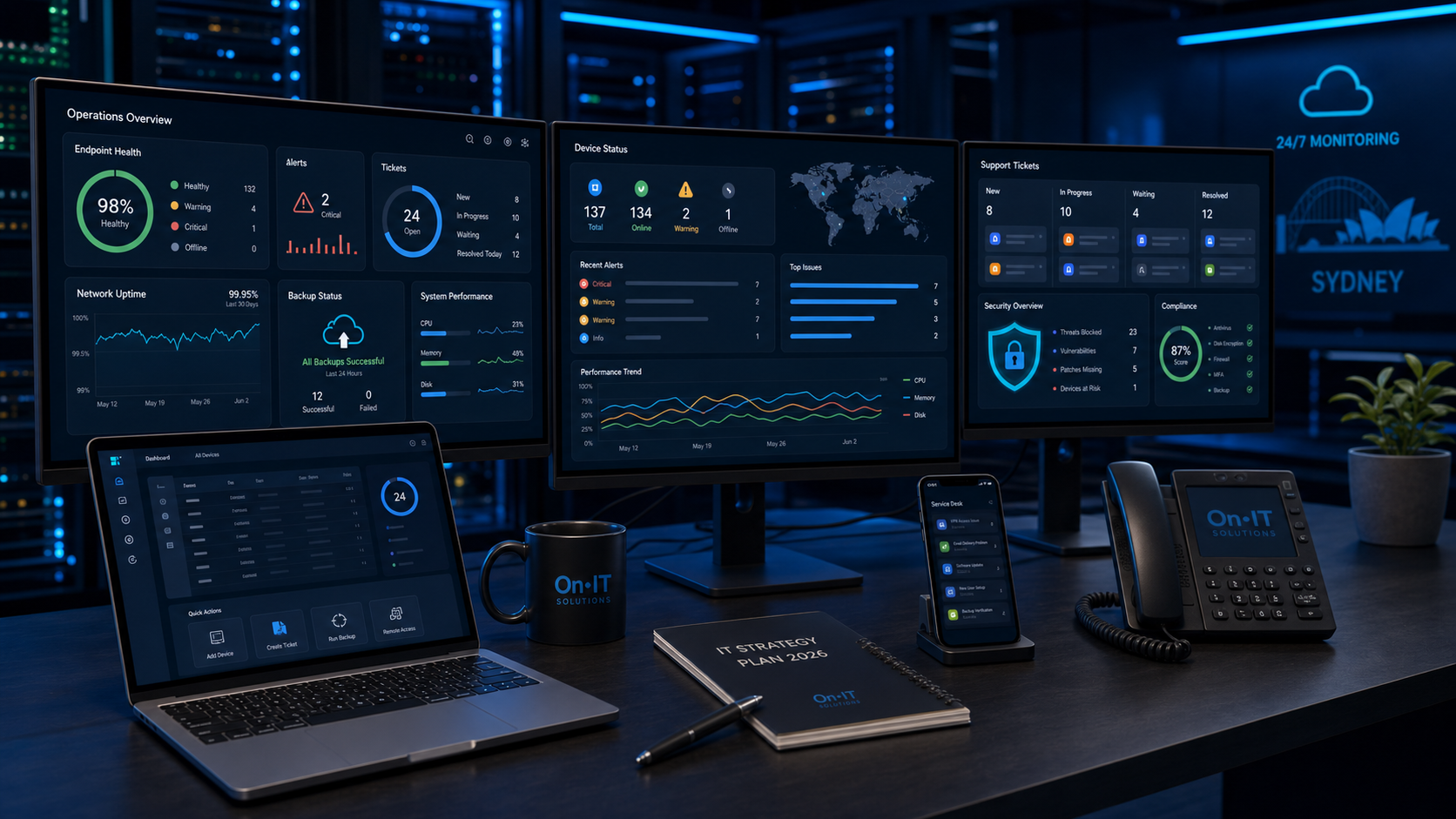
Managed IT services means outsourcing the day-to-day management of your technology environment to a specialist provider — called a Managed Service Provider, or MSP. Instead of waiting for something to break and then calling for help, an MSP proactively monitors, maintains, and supports your IT infrastructure on an ongoing basis for a fixed monthly fee.
Think of it like this: a break-fix IT company is like calling a plumber when a pipe bursts. A managed IT provider is like having a plumber who inspects your pipes every month, fixes small issues before they become floods, and is available 24/7 if something does go wrong.
What's Typically Included
Most managed IT service agreements in Sydney cover:
- Helpdesk support — remote and on-site assistance for your team's day-to-day IT issues
- 24/7 monitoring — continuous monitoring of your servers, networks, and endpoints so problems are caught early
- Patch management — keeping your operating systems and software up to date automatically
- Cybersecurity — antivirus, endpoint protection, firewall management, and email security
- Backup and disaster recovery — automated backups with tested restore procedures
- Microsoft 365 management — user accounts, licences, email, Teams, SharePoint
- Vendor management — liaising with internet providers, software vendors, and hardware suppliers on your behalf
- Strategic IT advice — regular reviews to make sure your technology matches your business goals
Some providers also include cloud infrastructure management, cybersecurity audits, and AI automation as part of premium tiers.
See OnIT Solutions' managed IT services →
Why Sydney SMBs Are Moving to Managed IT
There are a few reasons this model has become the standard for small and medium businesses across Sydney:
Predictable Costs
Break-fix IT is unpredictable by nature. One month you pay nothing; the next month a server failure costs you $8,000 in emergency labour and replacement hardware. Managed IT converts that unpredictability into a fixed monthly fee — typically per user or per device — so you can budget accurately.
Proactive vs Reactive Support
Most IT disasters are preventable. Servers fail because no one noticed disk space running out. Security breaches happen because a patch wasn't applied. A managed IT provider is watching your environment constantly and fixing these things before they cost you downtime or data.
Access to Senior Expertise
Hiring a senior IT generalist in Sydney costs $90,000–$120,000+ per year — and one person can't cover every specialty. An MSP gives you access to a whole team: network engineers, security specialists, cloud architects, and Microsoft-certified consultants, all included in your monthly fee.
Cybersecurity That Keeps Up
The threat landscape changes faster than most in-house IT staff can track. MSPs invest in enterprise-grade security tooling and training across their whole client base, which means your business benefits from protections that would be unaffordable to deploy on your own.
OnIT Solutions cybersecurity services →
How Much Do Managed IT Services Cost in Sydney?
Pricing varies based on the size of your business, the scope of services, and the provider. Here's what's typical in the Sydney market in 2026:
Per-User Pricing (Most Common)
| Tier | What's Included | Typical Price/User/Month |
|---|---|---|
| Essential | Helpdesk, monitoring, patching, M365 support | $80 – $120 |
| Standard | Everything above + cybersecurity, backup, vendor management | $120 – $180 |
| Premium | Everything above + virtual CIO, security audits, AI tools, priority SLA | $180 – $280 |
A 15-person business on a standard plan would typically pay $1,800–$2,700/month all-inclusive — compared to the fully-loaded cost of one junior IT staff member at $70,000–$80,000/year.
Per-Device Pricing
Some MSPs price by device (desktop, laptop, server) rather than by user. Expect:
- Workstations: $40–$80/device/month
- Servers: $150–$400/server/month
What Affects the Price
- Number of users and devices — the primary driver
- Number of physical locations — multi-site businesses cost more to support
- Complexity of your environment — on-premise servers, custom software, or regulated industries add cost
- SLA requirements — faster response times and after-hours support cost more
- Cybersecurity scope — advanced security is usually an add-on
Managed IT Services vs In-House IT: Which Is Right for You?
This is the most common question we hear from growing Sydney businesses. The honest answer depends on your size, complexity, and what you actually need.
When In-House IT Makes Sense
- You have 100+ staff with complex, custom technology environments
- You operate in a regulated industry with dedicated compliance requirements that need a full-time internal resource
- Your IT needs are highly specialised (e.g. custom software development or data engineering)
When Managed IT Makes More Sense
- You have fewer than 100 staff and your IT needs are standard business infrastructure
- You want predictable costs without the overhead of salary, super, leave, and training
- You need a range of expertise that one person can't cover
- You've experienced downtime or a security incident and need more proactive support
- You're growing and need IT that scales without hiring delays
Most Sydney SMBs find the managed IT model gives them better outcomes at lower cost than in-house — especially when you factor in the full cost of employment.
What to Look for in a Managed IT Provider in Sydney
Not all MSPs are equal. Here's what separates a great provider from an average one:
Local Presence
Remote support handles most day-to-day issues, but sometimes you need someone on-site — fast. A Sydney-based MSP with engineers who can be at your premises is essential. Be wary of providers who outsource on-site work to contractors or whose "Sydney office" is just a phone number.
Response Time Guarantees
Your provider's SLA should commit to specific response times in writing. Look for:
- Critical issues (system down, security incident): under 1 hour response
- High priority (team productivity impacted): under 4 hours
- Standard requests: same business day
Cybersecurity Depth
Cybersecurity should not be an afterthought. Your MSP should include at minimum: endpoint detection and response (EDR), email security filtering, MFA enforcement, patch management, and regular backup testing. Ask specifically what happens if you get hit by ransomware — a good provider has a documented incident response plan.
Transparent Pricing
Avoid providers who quote low and then charge extra for everything. A quality MSP will give you a clear scope of what's included and what isn't, with no hidden fees for after-hours calls or "out of scope" requests that are clearly business-as-usual.
No Lock-In Contracts
The best MSPs earn your business every month with results. Month-to-month agreements or short-term contracts give you flexibility and keep the provider accountable.
Managed IT for Specific Sydney Industries
Trades Businesses
Tradies need mobile-first IT: job management software integration, cloud document access from job sites, device management for tablets and phones, and reliable internet failover. IT for tradies →
Medical and Dental Practices
Healthcare has strict data privacy obligations under the Privacy Act and the Australian Privacy Principles. Your MSP must understand clinical software, RACGP cybersecurity standards, and secure patient data handling. IT for medical practices →
Law Firms
Legal practices handle highly confidential client data and are increasingly targeted by cybercriminals. Look for an MSP with experience in legal industry compliance, document management systems, and secure remote access. IT for law firms →
Real Estate Agencies
Real estate runs on CRMs, e-signing platforms, and remote access for agents in the field. Automation of lead follow-up and client communication is an increasing priority. IT for real estate →
Accounting Firms
Accountants hold sensitive financial data and are a prime target for phishing and BEC attacks. Your MSP should enforce MFA, monitor for unusual account activity, and ensure compliance with relevant data handling obligations. IT for accounting firms →
How to Switch to a Managed IT Provider (Without Disruption)
Transitioning to a managed provider doesn't have to be painful. Here's what a good onboarding process looks like:
- Discovery audit — the provider documents your entire environment: devices, software, licences, network infrastructure, cloud accounts, vendors
- Risk assessment — identifies any immediate security gaps or compliance issues that need to be addressed
- Onboarding — deployment of monitoring agents, security tools, and backup solutions across your environment
- Documentation — a full IT asset register and runbook is created so nothing is trapped in one person's head
- Handover — your team is briefed on how to log support requests and what to expect
- Steady state — ongoing monitoring, support, and quarterly reviews begin
A well-run onboarding typically takes 2–4 weeks for a business of 10–50 staff and should cause zero downtime.
FAQ
How quickly will my IT issues be fixed?
Response time depends on priority level. Most MSPs commit to responding to critical issues (system down) within 1 hour and resolving standard requests within the same business day. OnIT Solutions targets a sub-4-hour response for all priority issues.
Do I need to sign a long-term contract?
No — reputable providers offer month-to-month or short-term agreements. OnIT Solutions operates without lock-in contracts because we believe in earning your business every month.
Can a managed IT provider support my team working from home?
Yes. Remote work support — including secure VPN access, cloud file sharing, Microsoft 365 management, and device management — is core to modern managed IT services.
What happens if we have a cybersecurity incident?
A good MSP has a documented incident response plan. This includes isolating affected systems, identifying the source of the breach, restoring from backup, and notifying relevant parties. Ask any prospective provider to walk you through their incident response process before you sign.
How is managed IT different from just calling someone when something breaks?
Break-fix IT is reactive — you pay when something goes wrong. Managed IT is proactive — your provider monitors your environment continuously, applies patches and updates, and fixes issues before they cause downtime. Over time, a well-managed environment has significantly fewer incidents.
Conclusion
Managed IT services have become the standard model for Sydney SMBs who want reliable, secure, and cost-predictable technology without the overhead of in-house staff. The right provider acts as a genuine technology partner — not just a helpdesk — and helps your business use IT as a competitive advantage.
The key is choosing a local provider with transparent pricing, strong cybersecurity practices, and no lock-in contracts who understands your industry.
OnIT Solutions is a Sydney-based managed IT and AI automation provider with 15+ years of experience supporting Australian small businesses. We offer fixed-fee managed IT from $95/user/month with no lock-in contracts.

