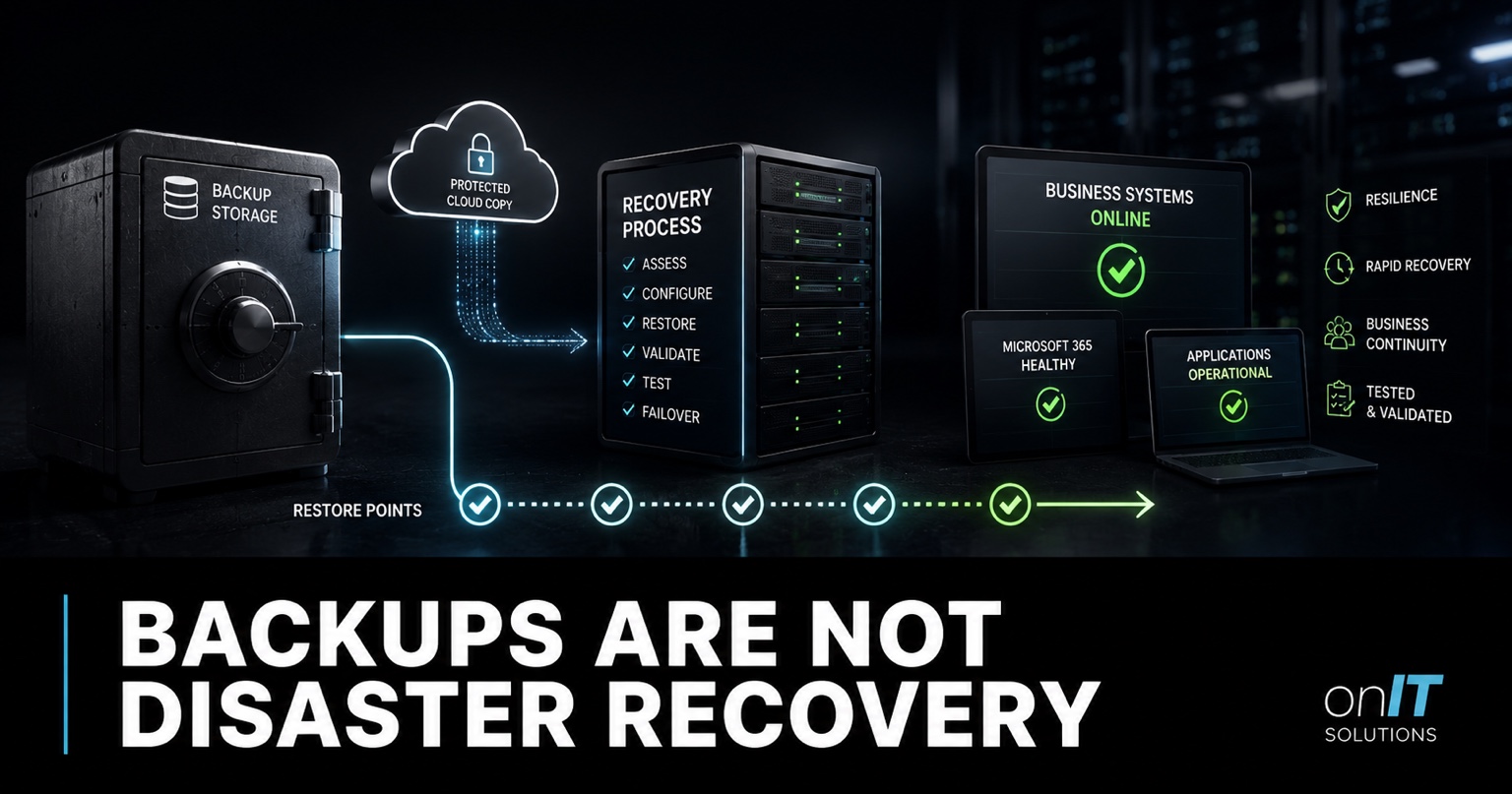
Backups and disaster recovery are often discussed as if they are interchangeable. They are not. A backup is a copy you may be able to restore. Disaster recovery is the coordinated ability to return important business services to an acceptable operating state after disruption.
The distinction matters because a business can have successful backup jobs and still be unable to recover. Data may be incomplete, credentials unavailable, infrastructure undocumented or the restore too slow for the business to tolerate. A reliable backup and disaster recovery service connects protected data to tested recovery steps and business-approved targets.
What a backup actually provides
A backup creates another recoverable copy of selected information or system state. Depending on the platform, it may protect files, databases, virtual machines, Microsoft 365 workloads, application settings or device images. Good backups are encrypted, monitored, retained for an agreed period and isolated from the systems they protect.
A green job status proves that a process completed. It does not prove that the right data was selected, the copy is usable or the business can restore it within the required time. Backup monitoring is necessary, but restore evidence is what turns monitoring into confidence.
Questions every backup design should answer
- Which systems and data are protected, and which are excluded?
- How often are recovery points created and how long are they retained?
- Can compromised administrators or ransomware alter the backup?
- Who can request and approve a restore?
- When was a representative restore last completed successfully?
What disaster recovery adds
Disaster recovery considers the complete service. Restoring a database is not enough if the application server, identity provider, network connection, encryption keys and vendor access are unavailable. Recovery plans identify those dependencies and put the steps in an order that people can follow during pressure.
The plan should name decision-makers, technical owners, communication channels, alternative facilities, vendors and escalation paths. It should explain how staff will work while systems are unavailable and how the business will confirm that restored data is complete.
Recovery is a business decision
IT teams can explain technical options, but business owners must decide which services matter first and how much downtime or data loss is acceptable. A payroll system, clinical application, booking platform and file archive may need very different recovery targets.
RPO and RTO make expectations measurable
Recovery Point Objective defines the maximum tolerable data loss measured in time. An RPO of four hours means the business accepts that the latest recoverable copy may be up to four hours old. Recovery Time Objective defines how quickly the service should return after an incident.
These targets affect architecture and price. Near-zero data loss and rapid failover require more than a nightly copy. They may need replication, standby infrastructure, automated orchestration and more frequent testing. Set realistic targets based on business impact rather than copying numbers from a vendor proposal.
| Question | Backup answer | Disaster recovery answer |
|---|---|---|
| What is protected? | Named data and system copies | End-to-end business services and dependencies |
| How much data can be lost? | Backup frequency and retention | Business-approved RPO |
| How quickly can work resume? | Restore speed estimate | Tested RTO and operating workaround |
| Who acts? | Backup administrator | Business, technical, vendor and communication owners |
| How is success proven? | Completed restore | Service validation and recovery exercise |
Common ways a backup fails to become recovery
The most damaging gaps often remain invisible until an incident. A provider may protect files but not the line-of-business database. A server image may restore while its licence server or identity connection does not. A cloud workload may be resilient against hardware failure but still expose the business to deletion or malicious encryption.
- The backup uses credentials that are unavailable during an identity outage.
- Copies are reachable from the compromised production environment.
- Documentation does not identify application dependencies or restore order.
- The latest recovery point is older than the business expects.
- Restore testing checks a file but not the complete service.
- The recovery time exceeds contractual or operational tolerance.
Security and recovery should be designed together. A mature cybersecurity program limits the chance and impact of an incident, while isolated recovery capability provides a path back when prevention is not enough.
Microsoft 365 still needs recovery planning
Microsoft designs Exchange Online, SharePoint and OneDrive for resilient service delivery. That platform resilience does not decide your retention needs, authorise restores or validate business recovery. Microsoft’s documentation for Microsoft 365 Backup focuses on recovering from deletion, overwrite, encryption and business-continuity scenarios.
Your organisation still needs to define protected workloads, recovery points, roles and tests. The related Microsoft 365 security baseline explains how identity, sharing, logging and backup responsibilities fit together. Broader cloud management should also document dependencies outside Microsoft 365.
Build a recovery review that produces evidence
- Identify critical services and the business processes they support.
- Agree RPO and RTO targets with service owners.
- Map data, applications, infrastructure, identity, networks and vendors.
- Compare current backup coverage with the dependency map.
- Test representative restores and record actual time and issues.
- Exercise decisions, communications and temporary workarounds.
- Assign corrective actions and repeat after material changes.
The ACSC Essential Eight maturity guidance treats regular backups as more than job completion: restoration should be tested and backup access restricted. A capable managed IT provider should supply evidence of testing and explain remaining gaps in business terms.
Include recovery responsibilities when using our MSP agreement renewal questions. If the provider cannot show what is protected, how it is restored and how long recovery takes, the contract needs clarification.
Plan for people, communications and temporary work
Technical restoration is only one part of a disruption. Staff need to know who can declare an incident, where updates will be published and how urgent customer, supplier or regulatory communications are approved. Store contact details and recovery instructions somewhere accessible when normal systems are unavailable.
Define temporary ways to complete essential work while recovery continues. That may include manual appointment lists, alternative payment processes, emergency phone numbers or read-only access to recent exports. Workarounds should be proportionate and secure; an improvised process that exposes sensitive data can create a second incident.
Recovery exercises should include these human decisions. A tabletop session can reveal unclear authority, missing vendor contacts and unrealistic assumptions before a technical restore begins. Record the timeline, decisions and follow-up actions. The purpose is not to stage a perfect demonstration, but to find friction while the business still has time to correct it.
Frequently asked questions
What is the difference between backup and disaster recovery?
A backup is a recoverable copy of data or a system. Disaster recovery is the tested process for restoring the services, identities, applications, infrastructure, data and dependencies the business needs to operate. Backups are an essential input to recovery, but they are not the complete recovery capability.
What are RPO and RTO?
Recovery Point Objective, or RPO, is the maximum acceptable amount of data loss measured in time. Recovery Time Objective, or RTO, is the target time for restoring a service. Business owners should agree both targets because they influence backup frequency, architecture, testing and cost.
How often should backup restores be tested?
Test critical restores on a defined schedule and after major system changes. The frequency should reflect business impact and recovery targets, with more frequent evidence for essential systems. A test should verify usable data and service dependencies, not only that a backup job reported success.
Final perspective
Backups answer, “Do we have another copy?” Disaster recovery answers, “Can the business operate again within an acceptable time?” Treating them as separate but connected disciplines produces better decisions, realistic budgets and recovery evidence that can be trusted before an incident occurs. Review the plan whenever critical applications, vendors, identities or business priorities change, because yesterday’s successful test may not represent tomorrow’s operating environment or recovery priorities accurately.

