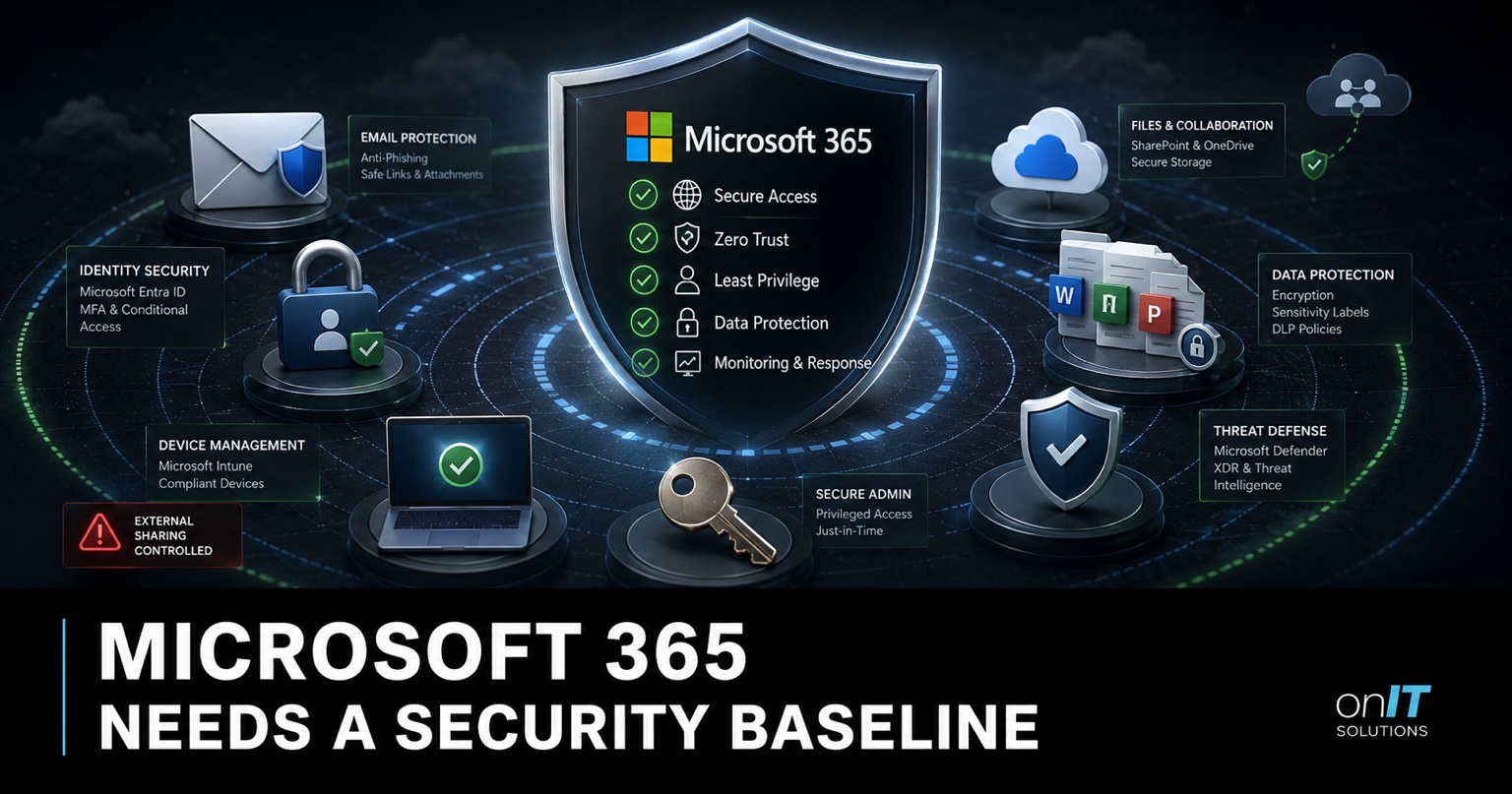
Microsoft 365 gives small and medium businesses powerful collaboration tools, but a new tenant is not automatically configured for every organisation’s risk, workflow or licensing model. A Microsoft 365 security baseline defines the minimum settings your business expects across identity, email, devices, data sharing, monitoring and recovery.
The baseline should be practical rather than theoretical. Each control needs an owner, a reason, a method of verification and an exception process. Settings that are enabled once and never reviewed will drift as new employees, applications, licences and external partners are added.
For businesses without in-house cloud specialists, combining a baseline with managed Microsoft 365 services creates clearer accountability for configuration and ongoing review.
1. Multi-factor authentication for every user
A stolen password should not be enough to access company email, files and applications. Microsoft’s security defaults provide baseline identity protection, including MFA registration and blocking legacy authentication, while licensed organisations can use Conditional Access for more granular policies.
Coverage matters more than a policy screenshot. Confirm that employees, contractors, administrators and emergency accounts are handled deliberately. Exclusions should be rare, documented and protected through another control.
Prefer phishing-resistant methods where practical
Authenticator applications, passkeys and hardware security keys provide stronger assurance than SMS. The appropriate method depends on licensing, devices and user needs, but the baseline should define approved methods and a secure registration or recovery process.
2. Tested Conditional Access or security defaults
Microsoft Conditional Access uses identity, device, location, application and risk signals to make access decisions. Common policies require MFA for administrators, block legacy protocols, protect security-information registration and restrict risky sign-ins.
Conditional Access should be introduced in report-only mode, tested against representative users and deployed with emergency access protected. A poorly designed policy can interrupt legitimate work or lock out administrators. The baseline must record licence dependencies, exclusions and rollback steps.
3. Separate privileged accounts and least privilege
Administrators should not use highly privileged accounts for everyday email and web browsing. Create separate admin identities, require stronger authentication and assign the minimum role needed for each task. Global Administrator access should be tightly limited and reviewed.
Maintain emergency access accounts with secure credentials, monitoring and a documented test schedule. Alerts should be generated when privileged roles are assigned or high-risk administrative actions occur.
4. Email and collaboration protection
Email remains a common entry point for credential theft, malicious attachments and invoice fraud. The baseline should cover anti-phishing policies, impersonation protection, attachment and link scanning where licensed, mailbox forwarding rules, external sender identification and domain protections such as SPF, DKIM and DMARC.
SharePoint, OneDrive and Teams also require deliberate sharing settings. Define whether anonymous links are allowed, how long external links remain valid, who can invite guests and how guest access is reviewed. These controls should balance collaboration with the sensitivity of the information being shared.
Make exceptions visible
Some teams need broader external collaboration. Record the business reason, scope, owner and expiry for each exception instead of weakening the tenant-wide baseline silently.
5. Managed and protected endpoints
Identity controls are stronger when the service can recognise a compliant device. The baseline should define device enrolment, encryption, supported operating systems, screen locking, endpoint protection, patching and response to lost or retired equipment.
Where licensing supports it, Intune and Defender can connect device health to access decisions. Where it does not, the business still needs an inventory and a consistent endpoint standard. A broader cybersecurity service can align Microsoft 365 identity controls with endpoint, email and incident-response responsibilities.
6. Logging, alerting and incident readiness
Security settings provide limited value when nobody reviews alerts or knows how to respond. Enable the audit data available under your licences and define alerts for risky sign-ins, privileged changes, suspicious inbox rules, mass downloads and other material events.
Document who receives alerts, how severity is assessed, what evidence is retained and when management is notified. Incident steps should include token revocation and session review rather than relying only on a password reset.
Microsoft Secure Score can help identify recommended actions and track posture, but Microsoft notes that it is not a guarantee against breach. Treat it as an improvement queue, not a substitute for a risk assessment.
7. Backup and recovery beyond retention
Retention, recycle bins and platform resilience do not answer every recovery scenario. Define which Exchange, OneDrive, SharePoint and Teams data is protected, how long recoverable copies are retained and how restore requests are authorised and tested.
Microsoft describes its own Microsoft 365 Backup service as supporting recovery from deletion, overwrite, encryption and business-continuity scenarios. Whether you use that service or another product, connect the tenant baseline to an explicit backup and disaster recovery plan.
Microsoft 365 security baseline checklist
| Control area | Minimum evidence | Review trigger |
|---|---|---|
| Identity | MFA coverage, approved methods and blocked legacy authentication | New licence or authentication method |
| Privileged access | Role inventory, separate admin accounts and emergency access test | Role or administrator change |
| Email and sharing | Protection policies, domain records and guest-access report | New partner or data-sharing workflow |
| Devices | Inventory, compliance, encryption and endpoint protection status | New platform or unsupported OS |
| Monitoring | Alert owners, audit retention and incident procedure | Material incident or tooling change |
| Recovery | Coverage matrix and recent restore-test result | New workload or recovery requirement |
Turn the baseline into an operating process
Approve the baseline with business owners, record exceptions and review evidence on a defined schedule. Link the work to the organisation’s broader risk priorities rather than applying every recommendation without context. The ACSC Essential Eight also provides useful Australian guidance for controls including MFA, patching, restricted privileges and regular backups.
A capable managed IT provider should show which baseline controls it owns and which remain the client’s responsibility. Our related explanation of backup versus disaster recovery helps clarify one of the most frequently misunderstood boundaries. Before renewing a provider agreement, also confirm ownership using the MSP renewal checklist.
Document licensing, exceptions and change control
Microsoft 365 capabilities differ by licence, so a baseline should never promise controls that the tenant cannot use. Record the required licence beside each control and identify an alternative treatment where a feature is unavailable. This makes upgrade decisions explicit and prevents silent gaps between policy and configuration.
Exceptions need the same discipline. Record the affected people or applications, the business reason, compensating controls, owner and review date. When a setting changes, capture who approved it, how it was tested and how it can be reversed. A short change record is more useful than relying on an administrator’s memory during an incident.
Frequently asked questions
What is a Microsoft 365 security baseline?
A Microsoft 365 security baseline is an agreed minimum set of identity, email, device, sharing, logging and recovery controls applied across a tenant. It turns broad security expectations into specific configurations that can be tested, monitored and reviewed as licences, staff and threats change.
Are Microsoft security defaults enough for every business?
Security defaults provide a valuable starting point for smaller or simpler tenants, but they are not a complete design for every organisation. Businesses with Entra ID premium licensing, regulated data, managed devices or complex access requirements will usually need carefully tested Conditional Access and additional monitoring controls.
How often should a Microsoft 365 security baseline be reviewed?
Review the baseline at least annually and after major licence, workforce, application or threat changes. High-impact controls such as privileged access, Conditional Access, external sharing, email protection, alerting and recovery should also be monitored routinely rather than waiting for the annual review.
Final perspective
A Microsoft 365 security baseline is not a one-time hardening exercise. It is a documented minimum standard supported by monitoring, exceptions, testing and review. Start with identity and privileged access, then connect email, devices, sharing, alerts and recovery into one accountable operating model. Keep evidence with the baseline so leaders can distinguish controls that are designed, implemented, monitored and actually effective.

