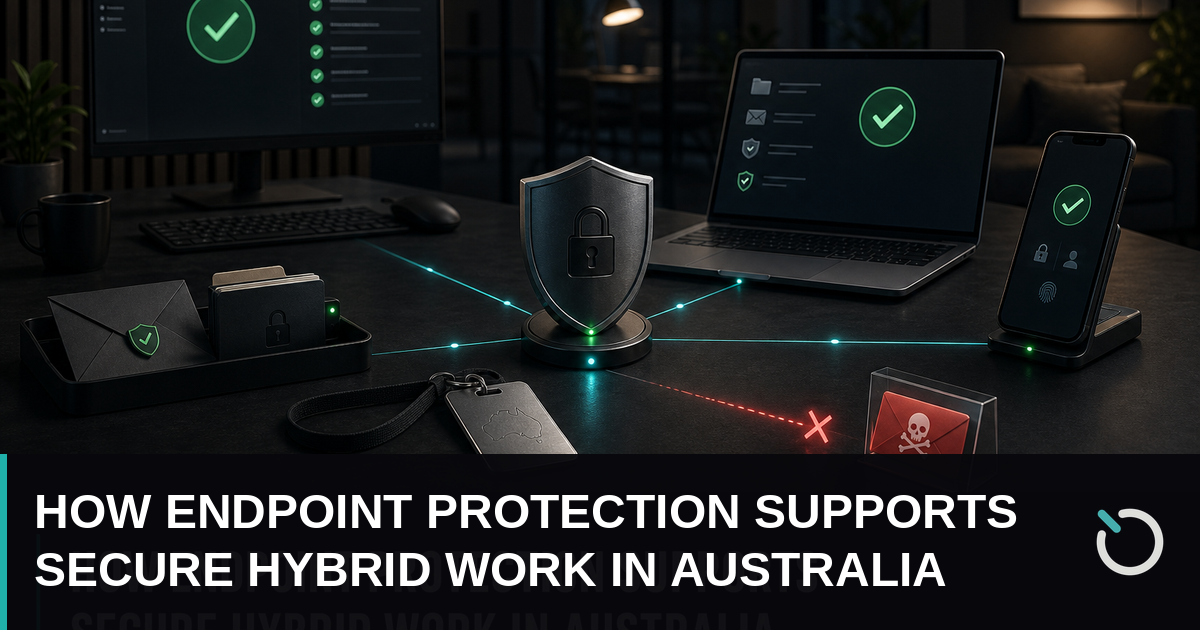
Hybrid work gives Australian businesses access to wider talent pools, greater flexibility and more resilient operating models. It also means that company devices regularly move beyond the controlled office network. Laptops connect through home routers, mobile phones access cloud applications on the road, and employees may handle sensitive data through networks the business neither owns nor manages. In this environment, endpoint protection becomes a frontline business control rather than a background antivirus function.
Each laptop, desktop, tablet and smartphone can provide a pathway into company systems. An unpatched application, stolen device or convincing phishing message may be enough to expose customer records, disrupt operations or enable ransomware. Smaller organisations are particularly vulnerable when limited IT resources create gaps in monitoring and response.
This article explains why traditional security controls struggle with hybrid work, how modern endpoint tools detect and contain threats, and how Zero Trust, device management and practical operating processes can reduce risk. It also outlines a realistic implementation plan for Australian small and medium businesses seeking stronger security without limiting workforce flexibility.
Why Hybrid Work Changes the Endpoint Protection Challenge
Traditional office security was designed around a clear network boundary. Devices usually sat behind a corporate firewall, connected to centrally managed servers and received updates while on the business network. Hybrid work has weakened that boundary. Employees now move between offices, homes, customer sites, airports and shared workspaces, often using the same device in every location.
Every location introduces different risks
A home network may include an outdated consumer router, weak Wi-Fi settings and poorly secured smart devices. Public Wi-Fi can expose users to rogue hotspots, traffic interception and attacks from other connected devices. Even when network traffic is encrypted, employees remain vulnerable to malicious downloads, phishing pages and credential theft.
Device diversity adds another layer of complexity. A business may need to manage Windows laptops, Macs, Android phones and iPhones alongside specialised equipment. Some may be company-owned, while others are personal devices used under a bring-your-own-device arrangement. Without consistent controls, IT teams cannot be confident that every endpoint is encrypted, patched and protected.
Off-network visibility matters
Security tools that depend on an office connection or manually initiated VPN create blind spots. A remote laptop might miss software updates or stop reporting suspicious activity when it remains off-network for weeks. Attackers can use that gap to establish persistence, steal credentials and wait for the device to reconnect to valuable systems.
Modern endpoint protection addresses this problem through cloud-managed controls that continue operating wherever the device connects. Policies, security updates and monitoring remain active outside the office. For an Australian accounting practice, for example, that means a consultant’s laptop can still be monitored while the consultant works at a client site. For a regional construction company, devices used by supervisors can receive policies without returning to head office.
The objective is not to make remote work difficult. It is to apply an appropriate and consistent security baseline to every device, regardless of its physical location or network connection.
How Modern Endpoint Protection Detects and Contains Threats
Conventional antivirus software primarily compares files against known malware signatures. That remains useful, but it cannot reliably identify every modern attack. Cybercriminals may use legitimate administration tools, stolen credentials, malicious scripts and previously unseen malware to avoid signature-based detection. Modern endpoint protection therefore combines prevention with behavioural monitoring, investigation and automated response.
Continuous detection and response
Endpoint detection and response, commonly called EDR, records relevant activity on a device and analyses behaviour for warning signs. These signs might include an Office application unexpectedly launching a command shell, one account attempting to access many files in rapid succession, or a process trying to disable security controls.
When suspicious behaviour is detected, the platform can generate an alert with useful context for the IT team. Advanced products correlate activity across devices and identities, helping analysts distinguish an isolated event from a coordinated attack. This visibility is important because hybrid endpoints cannot always be inspected in person.
Automated response can reduce the time between detection and containment. Depending on policy and confidence level, a platform may quarantine a malicious file, stop a process, isolate the device from business resources or revoke an active session. Isolation can prevent ransomware from reaching shared files while still allowing the endpoint to communicate with the security service for investigation.
AI supports analysts rather than replacing them
AI-driven tools can process large volumes of endpoint activity, identify unusual patterns and prioritise alerts. This can make a small IT team more effective, but automation still requires governance. Businesses should define which actions may occur automatically, which require approval and how staff will review false positives.
Consider an employee who opens a convincing invoice attachment while working from home. The file launches a script, attempts to harvest browser credentials and contacts an unfamiliar server. A well-configured platform can detect the behaviour, terminate the process and isolate the laptop before the attacker reaches cloud storage. The IT team then receives an evidence trail for investigation.
Businesses evaluating broader cybersecurity services should look beyond product labels. Important capabilities include off-network visibility, behavioural detection, centralised investigation, tamper protection, automated containment and access to skilled responders when an alert requires human judgement.
Using Zero Trust and Device Management for Secure Access
Installing security software does not automatically make an endpoint trustworthy. Devices change continually: patches fall behind, users install applications, settings drift and credentials may be compromised. Zero Trust responds to this reality by requiring each request to be authenticated and authorised according to current risk rather than granting broad access because a user previously signed in.
Verify the user, device and context
A practical Zero Trust policy evaluates several signals. Is the user protected by multi-factor authentication? Is the device enrolled in management, encrypted and running supported software? Has the endpoint reported recent security alerts? Is the sign-in location or behaviour unusual? The answers determine whether access is allowed, blocked or subject to extra verification.
For example, a managed laptop with current patches and no active threats might receive normal access to Microsoft 365. An unmanaged personal computer might be limited to browser-based access with downloads disabled. A compliant device showing high-risk behaviour could be temporarily blocked until IT completes an investigation. This is more precise than treating every device inside a VPN as equally trusted.
Unified endpoint management creates consistency
Unified endpoint management and mobile device management platforms allow businesses to enrol devices, deploy configurations, enforce encryption, distribute applications and assess compliance from a central console. When integrated with identity and endpoint protection systems, device compliance can become an access condition rather than a report that nobody acts upon.
A useful baseline for company devices typically includes:
- Full-disk encryption with recovery keys stored securely.
- Automatic operating system and application updates.
- Screen-lock, password and biometric requirements.
- EDR, firewall and anti-tampering controls.
- Restricted local administrator privileges.
- Approved software and browser configurations.
- Remote lock or wipe capabilities for lost devices.
Personal devices require a clear policy separating company information from private content. Application-level controls can protect business data without giving the employer unnecessary access to personal photos or messages. Employees should understand what the organisation can monitor, what happens when they leave and which data may be removed remotely.
This combined approach allows endpoint protection to inform access decisions in real time. It also improves the employee experience: compliant users can work across approved locations without repeatedly navigating cumbersome security processes, while higher-risk requests receive additional scrutiny.
Building an Effective Endpoint Security Operating Model
Technology only delivers value when supported by clear ownership and repeatable processes. Many security failures occur because alerts remain unreviewed, devices are missing from inventories or urgent patches are delayed. Australian SMBs need an operating model proportionate to their size, risk profile and regulatory obligations.
Start with an accurate device inventory
Record every device that can access business information, including owner, operating system, support status, encryption state and installed security agent. Reconcile this inventory against identity, management and security platforms. If an active account regularly accesses company data from an unknown endpoint, investigate rather than assuming the device is harmless.
Next, group devices according to business impact. A reception kiosk, finance laptop and system administrator workstation should not necessarily receive identical controls. Privileged and data-intensive roles warrant tighter application restrictions, stronger authentication and more detailed monitoring.
Define measurable service standards
Set deadlines for fixing vulnerabilities according to severity and exposure. Critical internet-facing issues may require action within hours, while lower-risk updates can follow a scheduled cycle. Track patch compliance, inactive agents, unsupported operating systems, encryption coverage and time taken to contain alerts. These measures show whether endpoint protection is working as an operational capability.
Response procedures should specify who reviews alerts, who may isolate a device and how the business communicates with an affected employee. Include an alternative contact method in case email or collaboration platforms are unavailable. If monitoring is outsourced, document escalation times, responsibilities and the evidence the provider will preserve.
Endpoint controls reduce the likelihood and spread of ransomware, but they cannot guarantee that every attack will be stopped. Tested backups remain essential. A sound backup and disaster recovery plan should use protected copies, defined recovery priorities and regular restoration tests. Backups that are continuously accessible from a compromised endpoint may be encrypted or deleted alongside production data.
Finally, connect technical controls with staff education. Teach employees how to report suspicious prompts, unexpected multi-factor authentication requests and lost devices immediately. Short, role-specific exercises are more useful than annual training alone. Rapid reporting gives responders time to use endpoint evidence before an incident expands.
A Practical Endpoint Protection Roadmap for Australian SMBs
A staged rollout is usually more successful than purchasing several disconnected tools at once. Begin by establishing the business outcomes: protect customer information, reduce ransomware risk, support remote staff and meet contractual or regulatory expectations. These outcomes should guide product configuration and reporting.
Phase one: assess exposure
Review the device inventory, administrative privileges, patch status, encryption, remote access methods and current monitoring coverage. Identify unsupported systems and endpoints that disappear from view outside the office. Map which devices can reach sensitive accounting, customer, health or operational data.
Australian organisations should also consider obligations under the Privacy Act, the Notifiable Data Breaches scheme and relevant industry requirements. Security decisions should reflect the sensitivity of personal information held and the likely consequences of unauthorised access. Organisations affected by changing privacy requirements should obtain appropriate legal or compliance advice rather than relying solely on a technology vendor.
Phase two: establish and test the baseline
Deploy management and endpoint protection agents to a representative pilot group. Include office workers, remote staff, executives and employees using less common applications. Confirm that policies remain active on home and mobile networks, alerts reach the correct responders and isolation does not prevent legitimate investigation.
Prioritise multi-factor authentication, encryption, automated patching, removal of unnecessary administrator rights and EDR coverage. Then introduce conditional access gradually. Start in reporting mode where possible, review who would be blocked and resolve legitimate exceptions before enforcement.
Phase three: operate and improve
Review high-risk alerts daily and broader posture trends at least monthly. Investigate repeated policy failures instead of continually granting exceptions. Run a tabletop exercise in which a remote laptop is compromised and test whether the team can identify its owner, isolate it, reset affected credentials and recover essential information.
Supplier selection should account for the people behind the platform. Ask who monitors alerts after hours, how quickly serious incidents are escalated, where business data is processed and what assistance is included during containment. A sophisticated dashboard offers little protection if nobody has the time or expertise to act.
Reassess the environment whenever the organisation adopts a new cloud service, opens a location, acquires another business or changes its hybrid-work policy. Effective endpoint protection is a continuous discipline, not a one-time deployment. Regular refinement keeps controls aligned with actual work practices while reducing unnecessary friction for employees.
Conclusion: Secure Flexibility Requires Continuous Protection
Hybrid work is not inherently insecure, but it removes many of the assumptions on which traditional office security relied. Devices now operate across networks of varying quality, handle business data outside company premises and may remain away from the corporate network for extended periods.
Modern endpoint protection helps close these gaps through continuous visibility, behavioural threat detection and rapid containment. Its effectiveness increases when it is combined with Zero Trust access decisions, unified device management, timely patching, multi-factor authentication, tested backups and clear incident procedures.
Australian SMBs can begin with practical steps: build an accurate inventory, identify unmanaged or unsupported endpoints, define a minimum device baseline and confirm that someone is responsible for responding to alerts. Pilot controls with a varied group of employees before broader enforcement, then measure coverage and response performance over time.
For businesses without dedicated security personnel, OnIT Solutions can help assess existing controls, prioritise the most important gaps and establish a manageable security approach. The goal is not simply to install another product. It is to create a dependable operating model that protects company information while allowing people to work productively wherever business takes them.