Managed IT Support · Parramatta
Managed IT for Parramatta: Define Ownership Before Problems Grow
Managed IT gives Parramatta businesses an agreed approach to supporting and maintaining their technology. OnIT Solutions helps define responsibilities across users, devices, cloud services and recurring risks.
No lock-in · Sydney-based engineers · Response <4h

<0h
Response SLA
Priority response in Parramatta
0%
Uptime Target
SLA-backed availability
0
Lock-In Contracts
Cancel anytime, no penalties
0%
Australian Team
Local engineers, no offshore
Technology partners and platforms we work with







What we deliver
Managed IT Support that works while you do.
Everything your Parramatta business needs — managed as one seamless service with a fixed monthly price and guaranteed response times.
Last updated: 30 September 2026
Managed IT in Parramatta begins with ownership
A managed IT arrangement is useful when a business needs technology responsibilities to continue between support requests. The question is not only who answers when something fails, but who maintains accounts, monitors systems, checks backups and keeps decisions documented. OnIT Solutions provides managed IT support for small and medium-sized businesses, including helpdesk, proactive monitoring, device support and Microsoft 365 administration. For a Parramatta organisation, the starting point is an agreed inventory and scope, so the business owner can see what the provider manages and what remains with another supplier or the internal team.
Begin by listing users, devices, locations and business applications, then identify their existing owners. Include domain registrations, Microsoft 365 administration, internet services and any specialist application supplier. Missing access or unclear responsibility can delay even a straightforward change. An onboarding discussion should establish the available documentation, the permissions needed to support the environment and any gaps that require separate work. Ask for a written explanation of dependencies and exclusions. That gives your team a realistic basis for comparing proposals rather than assuming every offer includes the same systems and level of administration.
Make helpdesk and maintenance work together
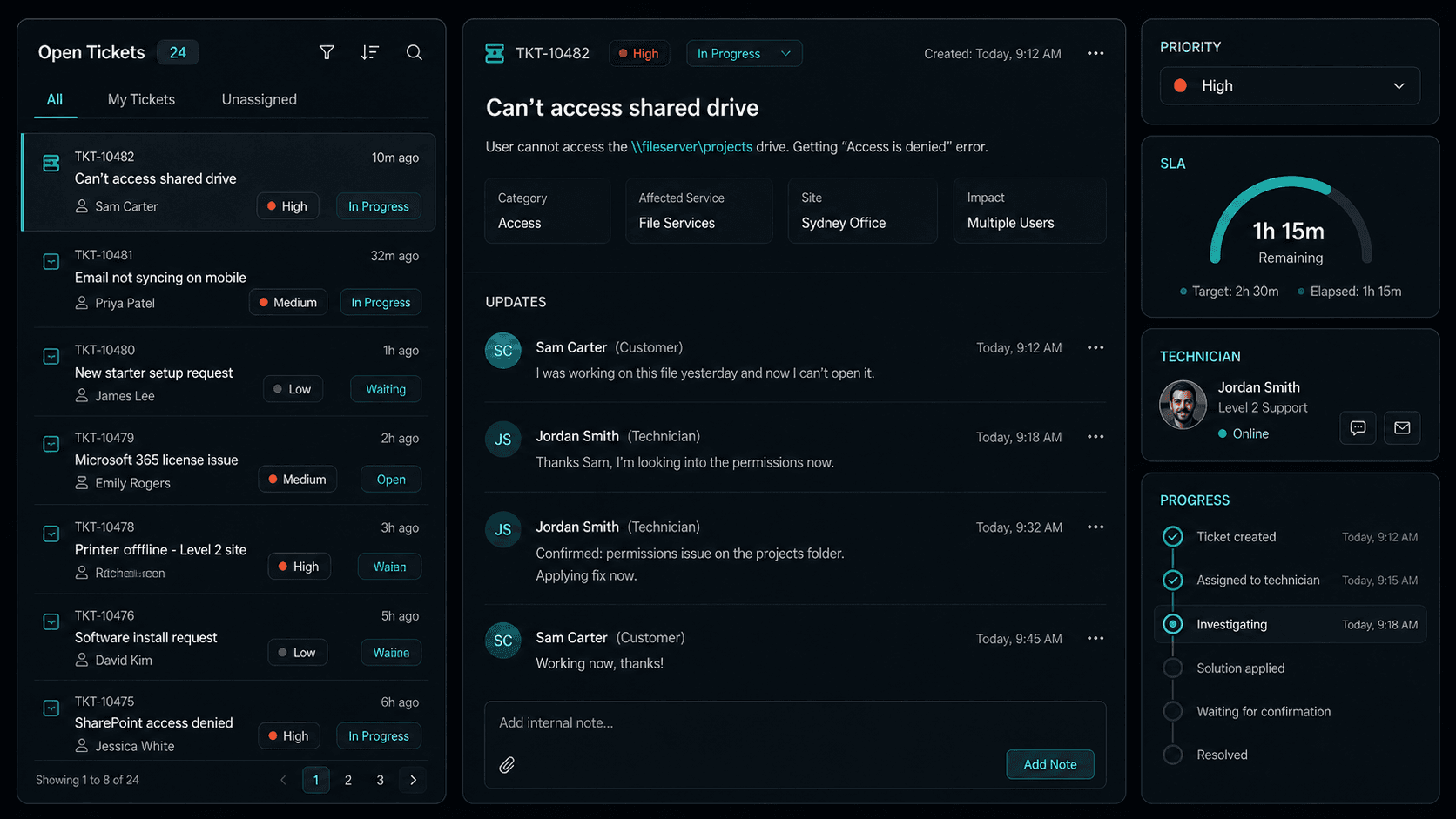
Everyday support and preventive work serve different purposes. Helpdesk assistance gets a user back to a task; maintenance addresses conditions that may cause repeated disruption. OnIT's published managed IT capabilities include both user support and proactive monitoring. Agree how staff submit requests, what information they should supply and how business impact is communicated. A ticket affecting a single printer should be described differently from an outage that stops the whole team. The service agreement should explain how requests are handled and which service commitments apply to your chosen scope.
Monitoring is most useful when alerts lead to a defined action. Ask which devices or systems are monitored, who reviews notifications and how maintenance decisions are reported. Patching and endpoint management need scheduling that considers important applications and operational constraints. A planned update should include a way to check whether staff can still perform their essential tasks. Avoid treating a dashboard as proof that every risk has disappeared. The useful evidence is whether issues are identified, ownership is assigned and the resulting work is documented in a form the business can review.

Keep Microsoft 365 and staff changes under control
Staff changes are a recurring test of IT administration. A new employee needs appropriate access, a working device and the applications required for their role. A departing employee requires a deliberate review of sign-in access, devices and information that colleagues still need. OnIT can assist with Microsoft 365 administration, endpoint management and cloud systems support. Create a repeatable request process that identifies who authorises access and which responsibilities are involved. That avoids informal account sharing and helps ensure an urgent onboarding request does not bypass the business's own approval requirements.
The same approach applies to licences and shared information. Keep a record of which services are actually used before adding subscriptions or moving documents. Shared mailboxes, groups and document permissions should have business owners who can explain the intended access. When an administrator changes configuration, ask for the business reason and any consequences to be recorded. For a Parramatta team with several departments or changing roles, this can make ongoing administration easier to follow. It also separates routine managed work from a larger migration or redesign that needs its own agreed scope.
Review security and backup responsibilities separately
Managed IT can include cybersecurity basics and backup readiness, but those terms need a practical definition. Ask whether the proposal covers device protection, access controls, patching, backup administration and review of failed jobs. Understand what happens if a security concern appears and which channel staff should use to report it. A routine support arrangement is not a guarantee against compromise or data loss. The business still needs to identify sensitive information, approve access and understand where additional security review or specialist work may be required for its environment.
A backup discussion should establish the systems covered, the recovery requirements and how readiness is checked. Different applications may have different retention and recovery limitations. If your team relies on a particular database or cloud service, include it explicitly rather than assuming it falls under a general backup label. Ask how evidence of checks is communicated and who approves changes to protection. The objective is a shared understanding of recovery expectations. A business should be able to explain what it would need restored first and where it would obtain help during an interruption.

Evaluate an ongoing arrangement against business needs
Use your own incident history to decide what managed IT should improve. Repeated device failures, unclear application ownership and inconsistent staff onboarding are different problems and may require different priorities. Parramatta businesses can bring those examples into an assessment without relying on generic descriptions of the local economy. List the most important outcomes, such as reducing repeated troubleshooting, maintaining clear account records or making support requests easier for staff. Agree how those outcomes will be reviewed so progress is discussed through actual work and documented decisions, rather than a promise of flawless technology.
Prepare user and device counts, existing contracts, major applications and unresolved support issues before the first conversation. Explain upcoming changes such as recruitment, relocation or a system upgrade if they affect the proposed support scope. Ask about onboarding work, ongoing responsibilities, reporting, escalation and the handling of work outside the agreement. Compare the managed IT service with individual IT support when you primarily need a specific fault resolved. A useful proposal lets a Parramatta business understand the support relationship before committing and keeps ownership clear as its systems and requirements change over time.
Quick Facts
“For Parramatta businesses, managed it support isn't just about keeping things running — it's about building a technology foundation that drives growth across Western Sydney.”
— OnIT Solutions, Western Sydney
What's included
Managed IT Support in Parramatta. One team.
Local Phone & Remote Support
Direct access to Australian engineers who know your systems. No overseas call centres, no queues.
Proactive System Maintenance
We patch, monitor, and fix before things break — minimising downtime and maximising productivity.
Microsoft 365 Management
Expert cloud management that keeps your team connected, your data backed up, and your licences optimised.
24/7 Network Monitoring
Round-the-clock monitoring with automated alerts and fast response before issues impact your business.
Service detail
Eight disciplines, one team
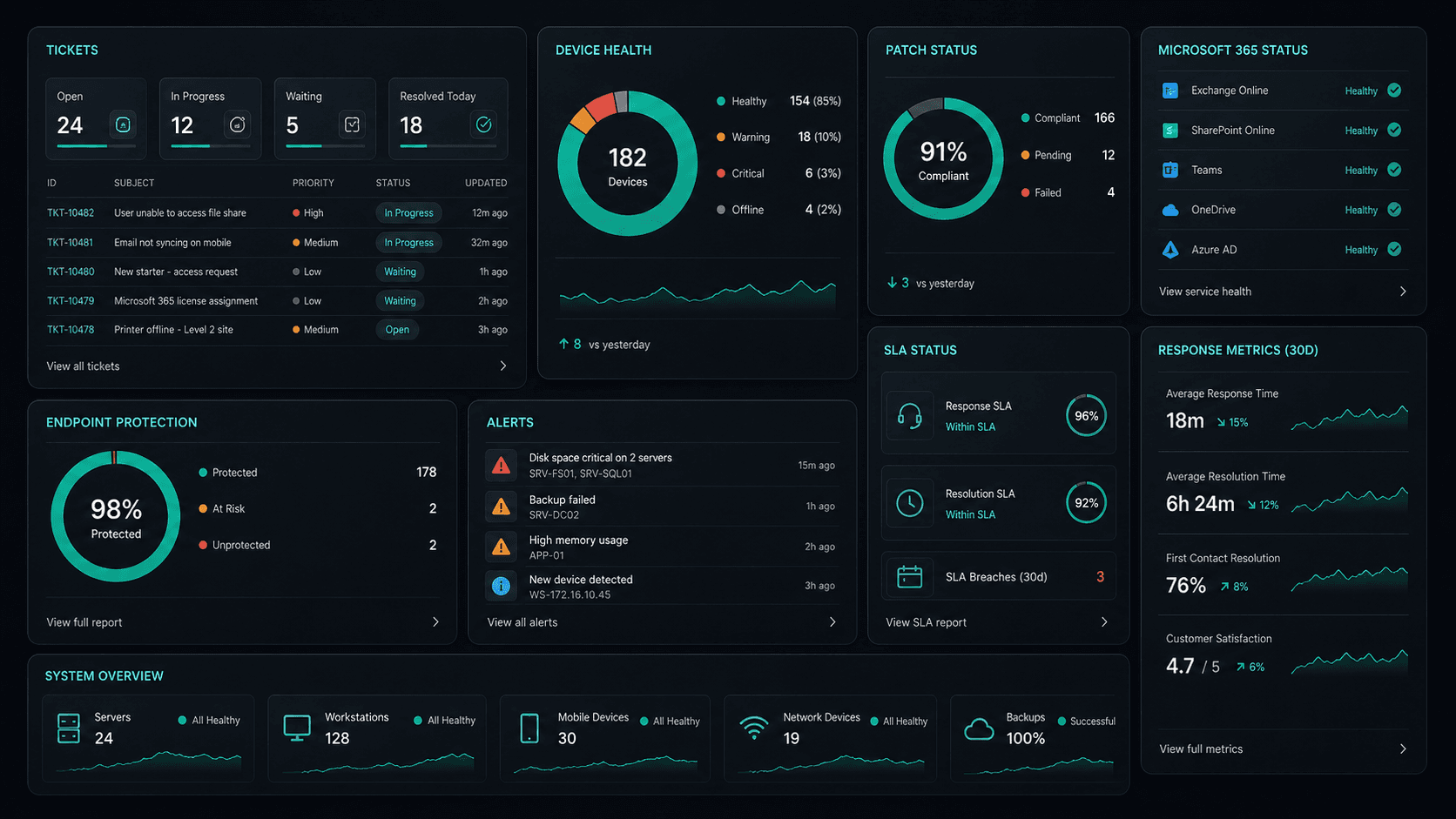
Automated alerts watch your servers, endpoints, and network around the clock — catching issues before your team notices them.
Licence management, user provisioning, Intune device enrolment, and Exchange configuration — all handled for you.
Guaranteed sub-4-hour response SLA. Direct access to local Sydney engineers who already know your environment.
Continuous OS and software patching, endpoint detection and response (EDR), and device compliance enforcement.
Automated daily backups with integrity verification. Tested recovery procedures so you're never caught off-guard.
Firewall configuration, VLAN setup, Wi-Fi optimisation, and vendor liaison for ISP and hardware issues.
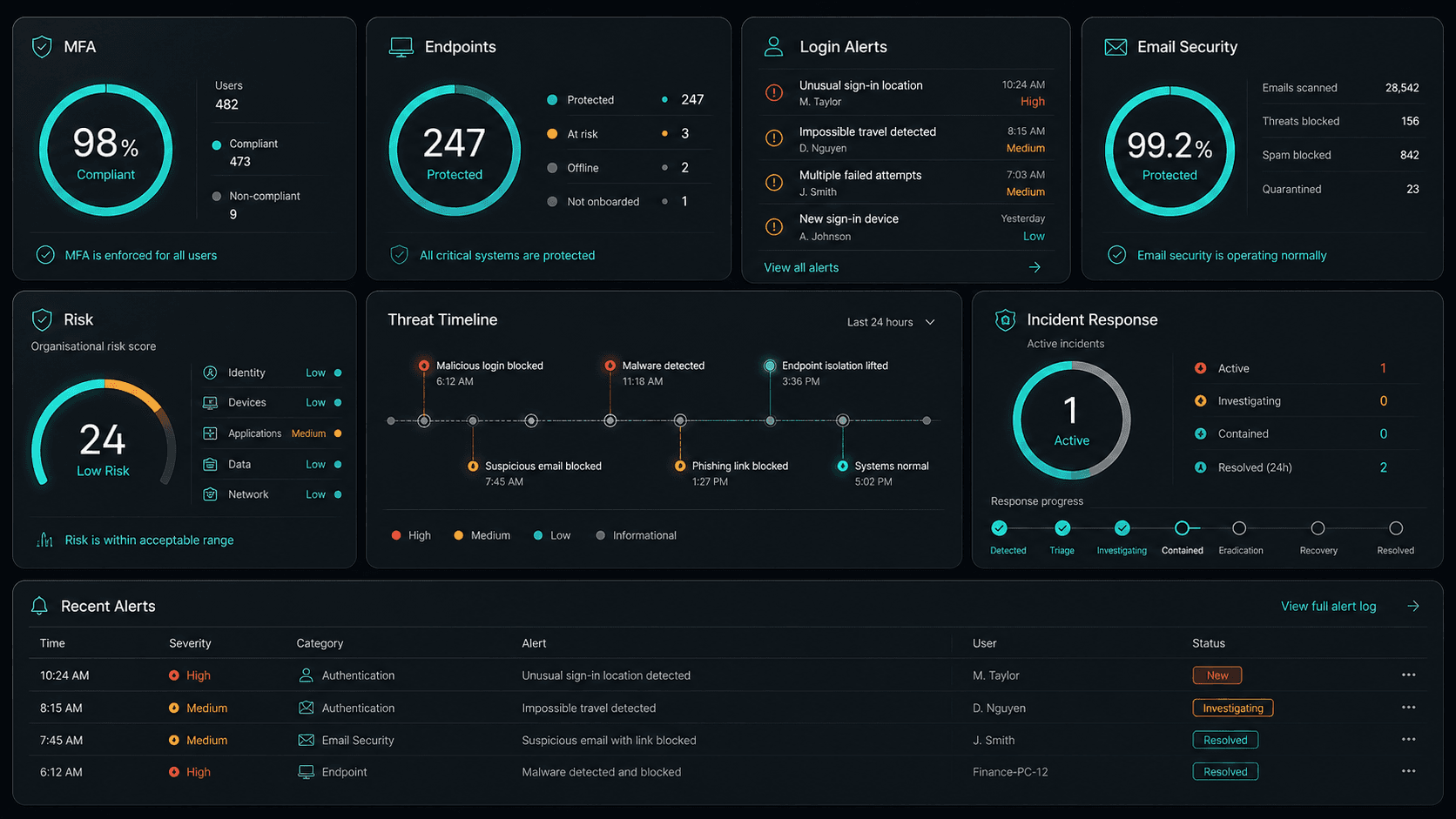
MFA enforcement, email filtering, dark-web credential monitoring, and Essential Eight alignment built into every plan.
Quarterly reviews align your technology roadmap with business growth goals. No surprises, no reactive firefighting.
Why OnIT
Everything in one managed service
One provider. One invoice. Everything your business needs to stay secure, fast, and productive.
Monitor everything, miss nothing
24/7 automated alerting across your servers, endpoints, and network. Issues caught before your team even notices.
Enterprise-grade platforms
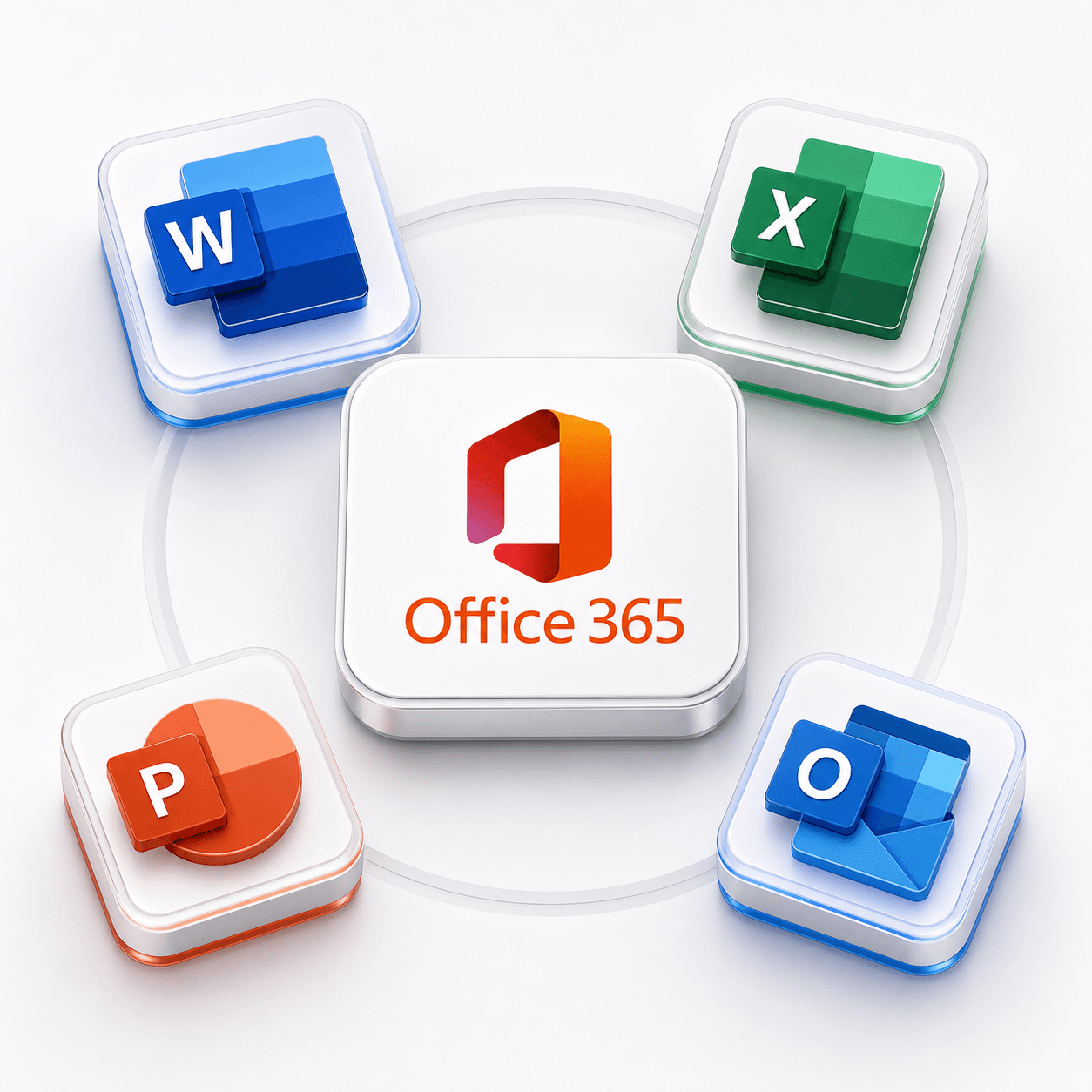
Microsoft 365, Defender, CrowdStrike, Veeam, Fortinet — all managed under one monthly fee.



Sydney-based, globally reliable
Local engineers on-site across Greater Sydney, with remote support reaching every corner of NSW.
Security baseline, always on
MFA, EDR, email filtering, and continuous patching deployed and maintained by our team.
Platform
The platform behind your IT.
Always on. Always visible.
Real-time monitoring, automated documentation, and instant support — the infrastructure that keeps your business running.
Full system backup — 847 GB across 38 devices, verified and encrypted offsite.
4-hour on-site response guaranteed. 99.9% uptime SLA with monthly reporting.
Annual Essential Eight maturity assessment aligned to ACSC guidelines.
Live topology map of your LAN/WAN, VLANs, firewall rules, and cloud links.
Full audit trail of every support ticket, escalation, and resolution since day one.
Every device, licence, serial number, and warranty date — always current.
Automated monthly patching window for all endpoints — zero disruption to staff.
Tracked vulnerabilities, residual risk ratings, and remediation owners.
Full system backup — 847 GB across 38 devices, verified and encrypted offsite.
4-hour on-site response guaranteed. 99.9% uptime SLA with monthly reporting.
Annual Essential Eight maturity assessment aligned to ACSC guidelines.
Live topology map of your LAN/WAN, VLANs, firewall rules, and cloud links.
Full audit trail of every support ticket, escalation, and resolution since day one.
Every device, licence, serial number, and warranty date — always current.
Automated monthly patching window for all endpoints — zero disruption to staff.
Tracked vulnerabilities, residual risk ratings, and remediation owners.
Every system documented
Devices, licences, network diagrams and configs — always current, never lost when staff leave.
Ransomware activity detected and quarantined
We see problems first
24/7 automated monitoring surfaces threats, outages and anomalies before your team notices.
50+ integrations
Microsoft 365, Xero, Slack, Google Workspace, HubSpot and more — all connected and managed.
Book support instantly
Same-day response, on-site or remote. No waiting on hold — just raise a ticket and we're on it.
At a glance
Every pillar of managed IT. One team.
MFA & Identity
Enforced

EDR / Antivirus
Active

Backup & DR
Verified











Technology Ecosystem
Powered by Enterprise Technology
A constellation of best-in-class platforms, deployed and managed as one seamless service.
Enterprise platforms we deploy and manage
.svg)











Service Breakdown
What's inside your plan
Click any card to see exactly what's included in each service area.

Managed IT Support that scales from 5 to 200 seats, across every Western Sydney business.
Why OnIT Solutions
Your Parramatta business, without the overhead.
Serving Parramatta (2150) and the broader Western Sydney area — our Sydney-based engineers understand the Western Sydney business community and are reachable when you need them. Whether you're a 5-person team or a growing operation with 200 seats, we scale managed it support to fit.
By the numbers
Measurable outcomes, guaranteed in writing
No surprise invoices. No waiting on hold. No different technician every time you call.
At a Glance
Included in your plan
Got questions?
Frequently asked questions
Also serving nearby
Managed IT Support across Western Sydney
Explore further
Related services for Parramatta
Cybersecurity
Threat monitoring, Essential Eight compliance, and endpoint detection — keeping your business secure around the clock.
IT Support Sydney
On-demand helpdesk and on-site support for your team. Fast response, local engineers, no lock-in contracts.
AI Automation
Workflow automation, AI chatbots and voice agents that reduce admin and free your team to focus on growth.

Get started
Ready for better Managed IT Support
in Parramatta?
Book a free managed it support assessment with one of our Sydney-based engineers serving Parramatta and Western Sydney. No lock-in, no obligation.
No lock-in contracts · Sydney-based engineers · Same-day response