IT Support · Narrabeen
Practical IT Support for Narrabeen Businesses
Resolve everyday technology problems with IT support for Narrabeen businesses. OnIT Solutions helps with Microsoft 365, devices and networks, then identifies what needs ongoing attention.
No lock-in · Sydney-based engineers · Response <4h

<0h
Response SLA
Priority response in Narrabeen
0%
Uptime Target
SLA-backed availability
0
Lock-In Contracts
Cancel anytime, no penalties
0%
Australian Team
Local engineers, no offshore
Technology partners and platforms we work with







What we deliver
IT Support that works while you do.
Everything your Narrabeen business needs — managed as one seamless service with a fixed monthly price and guaranteed response times.
Last updated: 30 September 2026
IT support in Narrabeen: start with the problem
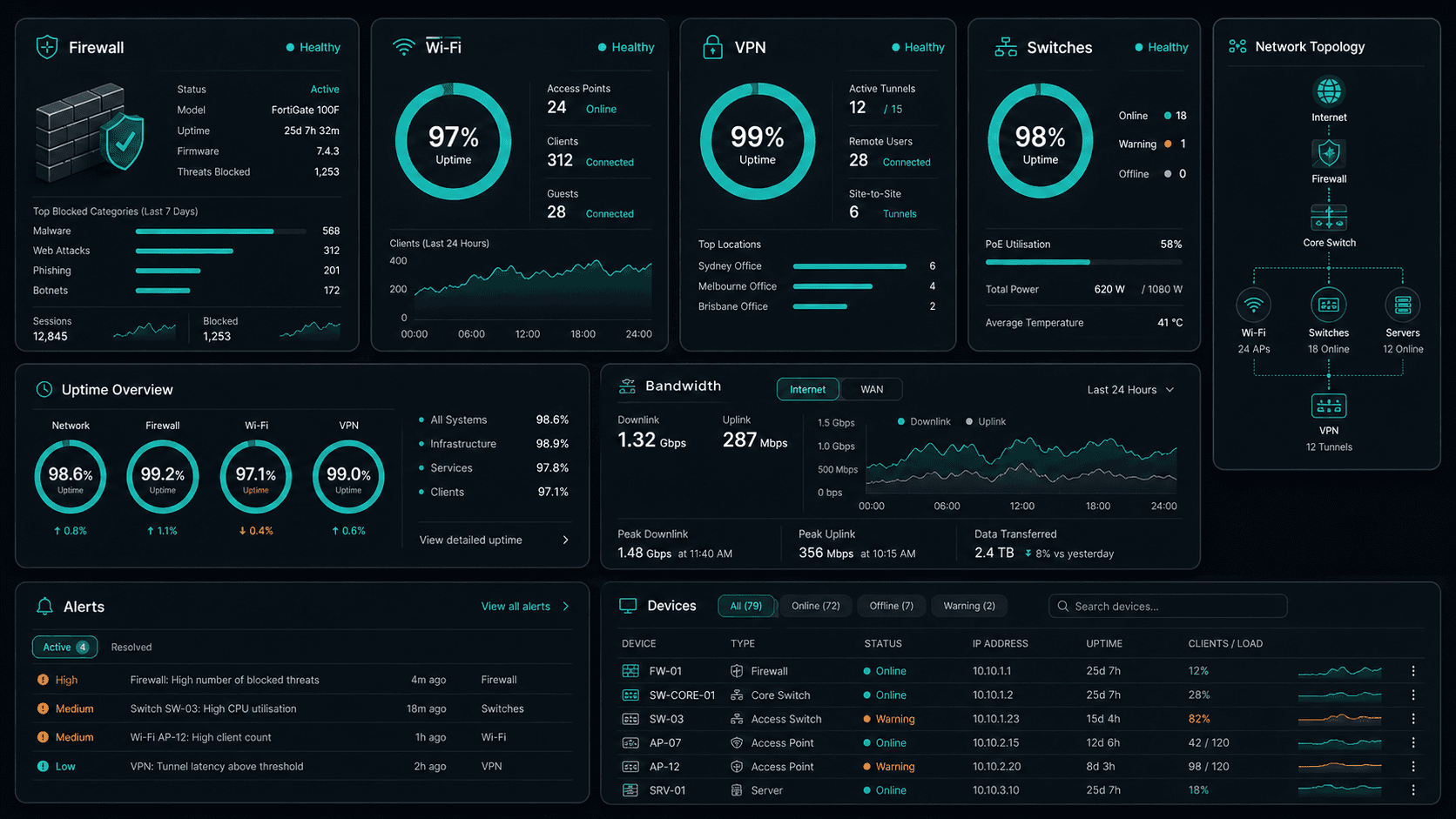
An IT support request should begin with what your team cannot do, rather than a guess about which product is broken. If a Narrabeen business cannot send an invoice, join a meeting or access a shared document, the immediate task is to establish the affected users, devices and systems. OnIT Solutions provides phone and remote helpdesk support, hardware and software troubleshooting, Microsoft 365 support and network assistance. Those capabilities give businesses a route from an interruption to a documented diagnosis, without needing an internal technician to interpret every error message first.
A useful first report includes the exact error, when it started, whether anyone else has the same problem and any recent changes. For example, a new laptop, password reset or internet equipment replacement can explain why an issue appeared. Avoid emailing passwords or sensitive customer files as evidence. Describe the impact in ordinary language and agree a secure way to share diagnostic information. This makes the support conversation more useful and helps distinguish a single workstation fault from a wider service or connectivity problem.
Microsoft 365 problems need account and device checks
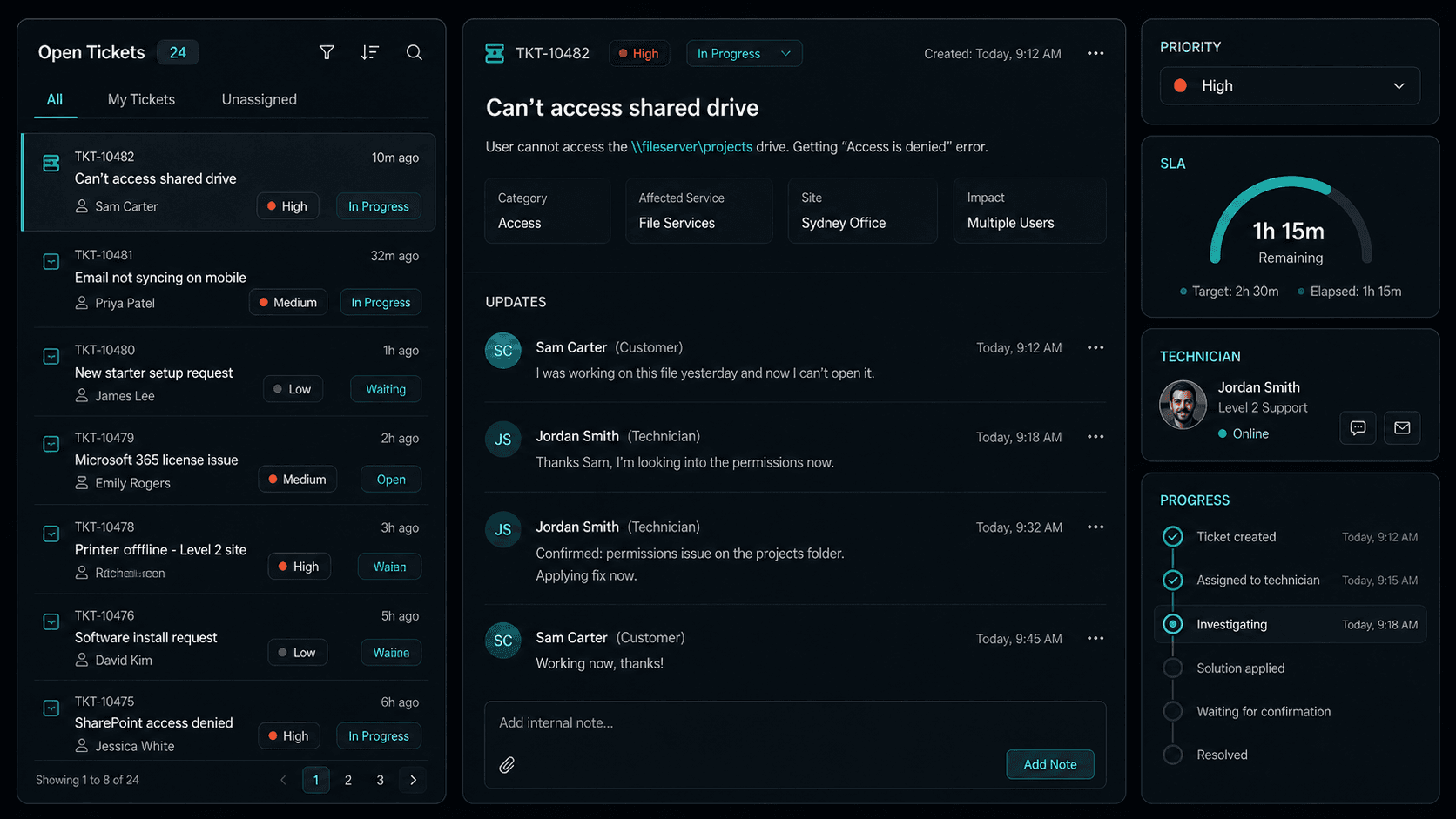
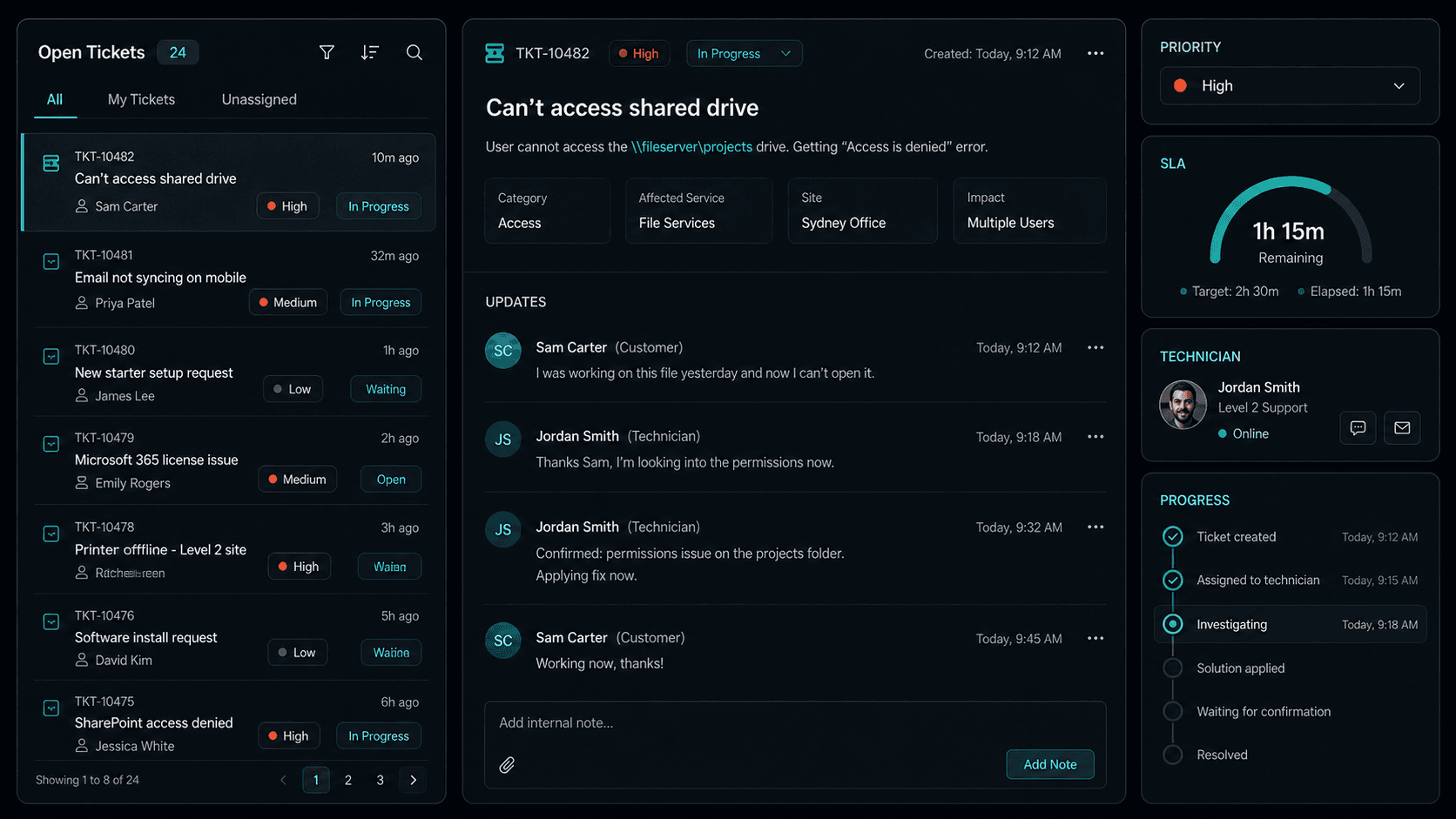
Email and collaboration faults can look similar while having different causes. A mailbox that works in a browser but fails on one computer needs a different investigation from an account that cannot sign in anywhere. OnIT can assist with Microsoft 365 administration and troubleshooting across business email and collaboration tools. The starting point is to check the account, licence, application and device involved, then establish whether the issue concerns access, synchronisation, permissions or service availability. Changing several settings at once can hide the original cause and make later support harder.
For a team using shared documents, the question is also who should have access and where the authoritative copy belongs. A missing file may be a permissions issue rather than data loss, while an unexpected sharing link may require a security review. When staff join or leave, account access, device ownership and shared mailbox responsibilities should be recorded. Ask for the change to be confirmed in terms a business owner can understand. The outcome should explain what was restored, what remains outstanding and whether a related access or backup check is recommended.
Devices and office networks: narrow the fault
A slow computer does not always need replacing. Software errors, failed updates, storage pressure and connectivity problems can all interrupt work. Hardware and software support starts with checking the symptoms and the device history before recommending a repair or purchase. If only one laptop struggles, its configuration is a sensible focus; if everyone loses access together, the network or an external service deserves attention. Keep an inventory of business devices, their owners and important applications so support can assess the fault without repeatedly reconstructing the same basic information.
Office Wi-Fi and connected equipment need a similarly practical approach. Record where a connection fails, whether a wired connection behaves differently and whether printers or other devices are affected. OnIT supports network setup, maintenance and troubleshooting, including Wi-Fi and connected office devices. Remote investigation can resolve some configuration issues, while physical faults or equipment placement may call for an on-site visit. Discuss access arrangements and the need for hands-on work with the team; an on-site appointment and its timing should be agreed for the particular request.
Turn a repeated interruption into a maintenance decision
The most useful support record explains more than how to close a ticket. If the same problem returns, record how often it happens, which users are affected and what was tried previously. Repeated failed updates, unreliable wireless access or recurring password problems may point to a maintenance gap. OnIT can provide ongoing IT management, updates and monitoring as well as individual troubleshooting. A Narrabeen business can use the incident history to decide whether a recurring support arrangement would be more appropriate than repeatedly requesting help after the same failure.
Backup and recovery also belong in that discussion. Ask which business information is protected, who receives failure notifications and how recovery would be checked. Being able to open a file today does not establish that a usable backup exists. If a device is failing or information may be missing, contact the support team and describe the circumstances before attempting changes that could make recovery harder. The goal is a clear next step, with responsibilities and limitations understood, rather than an assumption that every device or cloud service has equivalent protection.

Prepare an assessment around your actual working day
Narrabeen businesses can explain their requirements through the tasks that matter most: serving customers, accessing business applications, handling email or collaborating with colleagues. These are examples of needs to discuss, not claims about any particular local organisation. List the systems whose interruption stops work, the people who use them and any periods when changes would be disruptive. Include equipment at other work locations where relevant. This allows a support assessment to consider dependencies and practical scheduling instead of treating the suburb name as a substitute for understanding your business.
Before contacting OnIT, gather the number of users and devices, your main applications, the current support arrangement and a short history of unresolved issues. Explain whether you need one fault investigated or a broader review of your environment. Ask which work can be done remotely, what may need a visit, how requests are tracked and what an ongoing agreement would cover. You can compare the wider Sydney IT support service with managed IT when maintenance is the main concern. Keep the agreed scope and contact route available to staff so future requests follow the same accountable process.
Quick Facts
“For Narrabeen businesses, it support isn't just about keeping things running — it's about building a technology foundation that drives growth across Northern Beaches.”
— OnIT Solutions, Northern Beaches
What's included
IT Support in Narrabeen. One team.
Remote & On-Site Helpdesk
Fast remote support for everyday issues, with same-day on-site visits when hands-on help is needed.
Hardware & Software Support
From crashes to slow PCs, we fix hardware faults, software errors, and everything in between.
Network & Infrastructure
Setup, maintain, and troubleshoot your office network, Wi-Fi, servers, and connected devices.
Ongoing IT Management
Proactive maintenance, updates, and monitoring so your technology stays reliable and secure.
Service detail
IT support that covers everything, one team
Sub-4-hour response SLA. Direct access to Sydney engineers who already know your environment — no offshore queues.
Same-day on-site visits across Greater Sydney for hardware, network, and hands-on troubleshooting.
Licence management, user provisioning, Intune device enrolment, and Exchange configuration — all handled for you.
Device provisioning, patching, compliance enforcement, and MDM across Windows, macOS, and mobile.
Firewall, Wi-Fi, VLAN, and ISP liaison — connectivity issues diagnosed and resolved fast.
Automated alerts watch your servers, endpoints, and network — catching issues before your team notices.
Automated daily backups with integrity verification. Tested recovery procedures so you're never caught off-guard.
MFA, EDR, email filtering, and Essential Eight alignment built into every support engagement.
Why OnIT
Everything in one IT support service
One number to call. One team that knows your systems. Fast response, local engineers, no lock-in.
Helpdesk that's always on
Remote and on-site support for every issue — tickets logged, tracked, and resolved with SLA-backed response times.
Tools your team already uses
Microsoft 365, Teams, SharePoint, Azure AD — we support the platforms your business relies on every day.



On-site across Greater Sydney
Same-day on-site visits across Greater Sydney. Remote support for businesses anywhere in NSW.
Secure by default
Every support engagement includes a security baseline — MFA, patching, and endpoint protection, always current.











Technology Ecosystem
Powered by Enterprise Technology
A constellation of best-in-class platforms, deployed and managed as one seamless service.
Enterprise platforms we deploy and manage
.svg)












Service Breakdown
What's inside your plan
Click any card to see exactly what's included in each service area.

IT Support that scales from 5 to 200 seats, across every Northern Beaches business.
Why OnIT Solutions
Your Narrabeen business, without the overhead.
Serving Narrabeen (2101) and the broader Northern Beaches area — our Sydney-based engineers understand the Northern Beaches business community and are reachable when you need them. Whether you're a 5-person team or a growing operation with 200 seats, we scale it support to fit.
By the numbers
Measurable outcomes, guaranteed in writing
No surprise invoices. No waiting on hold. No different technician every time you call.
At a Glance
Included in your plan
Got questions?
Frequently asked questions
Explore further
Related services for Narrabeen
Cybersecurity
Threat monitoring, Essential Eight compliance, and endpoint detection — keeping your business secure around the clock.
AI Automation
Workflow automation, AI chatbots and voice agents that reduce admin and free your team to focus on growth.
Managed IT
Proactive IT management with 24/7 monitoring, patching, and helpdesk support for your entire team.

Get started
Ready for better IT Support
in Narrabeen?
Book a free it support assessment with one of our Sydney-based engineers serving Narrabeen and Northern Beaches. No lock-in, no obligation.
No lock-in contracts · Sydney-based engineers · Same-day response