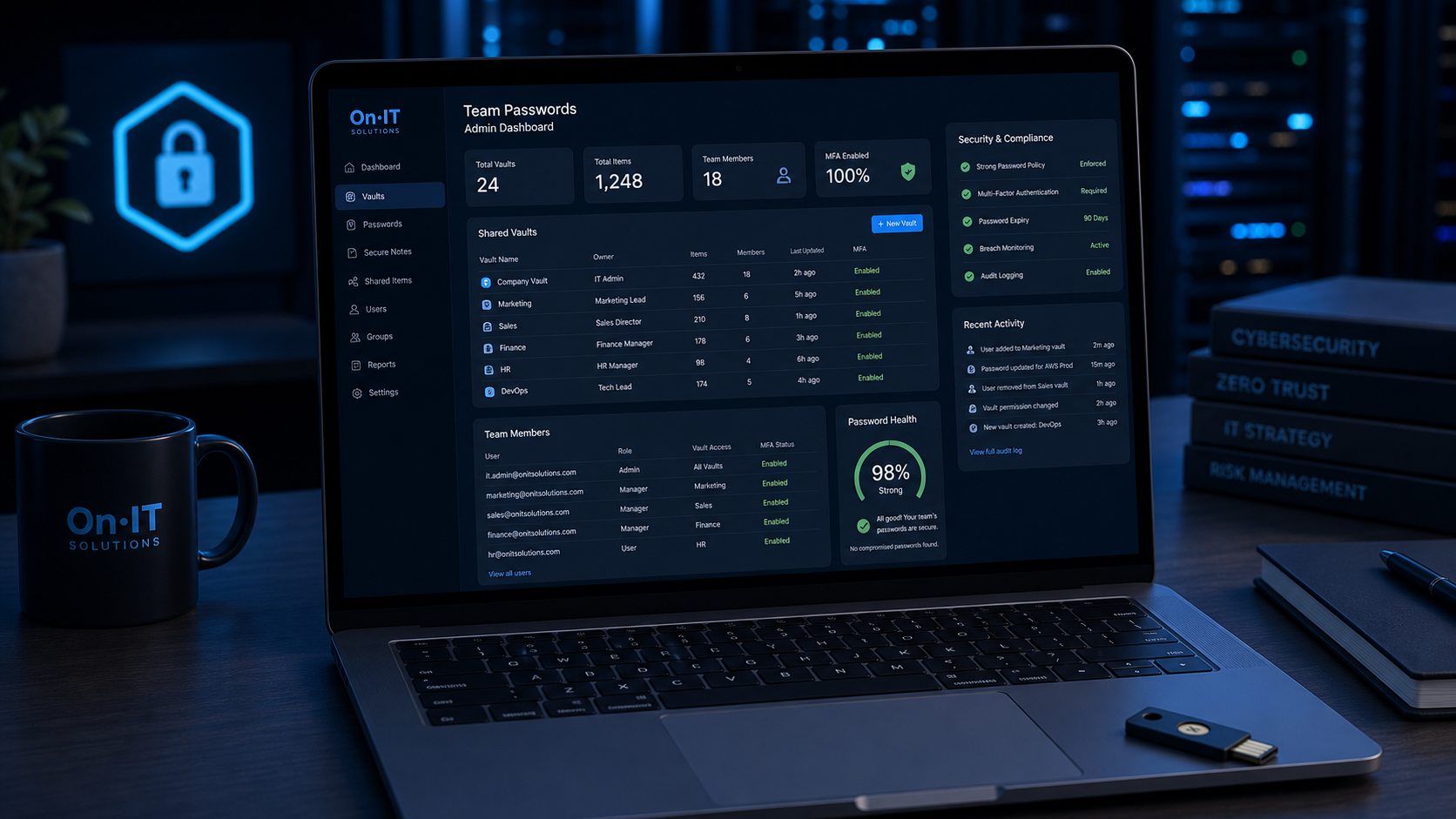
Why a Team Password Manager is Essential for Your Business Security
Scrambling to find a login while a client is on the phone is a stress most Australian business owners know all too well, yet many workplaces still rely on handwritten lists or shared spreadsheets to get by. Relying on these outdated methods creates a massive hole in your business password security, as physical lists can be lost and digital documents are often unencrypted and easily intercepted by hackers. Transitioning to a dedicated team password manager solves these vulnerabilities by centralizing your credentials in a single, fortress-like environment that your entire staff can use safely.
Moving Beyond Vulnerable Spreadsheets and Sticky Notes
When employees are left to manage their own credentials, they naturally gravitate toward what is easy: weak passwords, repetitive patterns, or "master lists" stored in Excel. This lack of a formal password management policy means that if a single device is compromised, your entire business could be exposed to a breach. Using a centralized system eliminates the "multiple passwords for one asset" headache, ensuring that there is one source of truth for every login, from your social media accounts to your sensitive financial portals.
By moving your credentials into a professional vault, you are not just organizing your data; you are implementing a vital layer of cybersecurity. It removes the risk of "shadow IT," where employees sign up for services using personal passwords that the business cannot track or revoke. Instead, you gain full visibility and control over who can access what, making the entire organization more resilient against common credential-based attacks.
Strengthening Defences with Zero-Knowledge Encryption
Modern platforms like Passpack are built on a "zero-knowledge" architecture, which is a fancy way of saying that not even the software provider can see your data. Your information is protected by end-to-end encryption, meaning it is scrambled the moment it leaves your device and can only be unscrambled using your specific "Packing Key" or master passphrase. This level of protection is a significant upgrade from keeping passwords in a Word doc or a browser's built-in saver, which are often targets for specialized malware.
Boosting Productivity Through Secure Password Sharing
Efficiency is the hidden benefit of a team-based system. With secure password sharing, managers can grant access to specific tools without ever revealing the actual password string to the employee. This facilitates seamless collaboration for remote teams and ensures that work doesn't grind to a halt because someone is out of the office with a login "stuck" in their head. When you combine these tools with regular cybersecurity training for employees, you transform your staff from a security liability into a proactive part of your company's defense strategy.
Standardizing how your team handles sensitive data creates a predictable environment where everyone knows the rules for digital access. This foundation is necessary before you can begin the practical work of assigning roles and defining your internal access levels.
Appointing a Lead and Building Your Password Management Policy
Setting up new security software often fails not because the technology is flawed, but because no one was clearly in charge of the rollout. To ensure your investment in a team password manager actually gets used, you should appoint a "transition manager" to lead the project. This person doesn’t need to be your most technical staff member, but they do need to be organised and empowered to centralise responsibility for adding new users and managing the launch. Having a single point of contact removes implementation ambiguity and ensures that questions from the team don't go unanswered during the first few weeks of the transition.
Developing a Written Password Management Policy
Before any staff members log in for the first time, you need to define the rules of the road in a formal password management policy. This document should be simple and practical, outlining exactly how credentials are to be created, stored, used, and shared across the organisation. In Australia, the Australian Cyber Security Centre (ACSC) provides clear frameworks for business password security, focusing on the use of long, unique passphrases rather than complex, hard-to-remember strings. Your policy should explicitly forbid the "recycling" of old credentials and set clear standards for password variations to ensure no two accounts share the same login details.
By putting these rules in writing, you create a baseline for cybersecurity training for employees. It shifts the conversation from "why do we have to do this?" to a standard operating procedure that protects everyone. The policy should also cover how to handle password expiration timelines for high-risk accounts and the specific steps to take if an employee suspects a credential has been compromised. This documented approach ensures that security is a shared responsibility rather than an IT-only problem.
Audit Access Needs for Secure Password Sharing
A successful rollout requires a clear map of who needs access to which systems before you start the technical configuration. Take time to audit your current accounts—from your managed IT dashboard to your social media logins—and group them by department or function. This preparation makes secure password sharing much easier to manage later, as you can plan "collections" or "vaults" that match your business structure. For example, your marketing team might need access to Canva and LinkedIn, while your accounts team requires the payroll portals.
Identifying these users and their required access levels early prevents "permission sprawl," where staff have access to sensitive data they don't actually need for their daily tasks. This proactive approach ensures that when the software is live, every team member has exactly what they need to be productive from day one without compromising the principle of least privilege. Clear documentation of these roles is the final step in moving from a disorganised spreadsheet to a professional, secure environment. Once your leadership and policies are in place, you are ready to begin the actual technical configuration of your vault.
Technical Setup: Onboarding Your Staff and Organizing Discreet Teams
Getting your team out of the "sticky note" era begins with a clean, technical rollout that mirrors how your business actually functions day-to-day. Once you have selected your team password manager, the first step is inviting your staff into the platform, typically through their professional email addresses. Rather than giving everyone the keys to the entire kingdom, modern systems allow you to create "discreet teams"—specific groups like "Marketing," "Finance," or "Melbourne Office"—which ensures that employees only see the credentials necessary for their specific roles.
Establishing Your Packing Key and Master Passphrase
During the initial setup, each user will be prompted to create a unique "Packing Key" or master passphrase. This is a critical component of business password security because it serves as the final encryption key that unlocks their individual vault. Because professional platforms use zero-knowledge architecture, no one at the software company (or even your IT lead) can reset this key if it is lost. It is essential to emphasize during your cybersecurity training for employees that this passphrase should be a long, memorable sentence that is never reused elsewhere.
BlueMountainsHiking2024!. It is significantly harder for computers to crack than a complex but short password like P@ssw0rd1.Improving Business Password Security with a Password Generator
As you begin moving your existing logins into the system, you will likely discover many that are weak, outdated, or reused across multiple sites. This is the perfect moment to utilize the built-in password generator to instantly rotate and upgrade these credentials. A high-quality generator creates long strings of random characters that are impossible to guess, which is a cornerstone of a modern password management policy. By refreshing these as you go, you are not just moving old problems into a new tool; you are actively hardening your business against credential-stuffing attacks.
Migrating Data into Organized Collections
Migrating your data doesn't have to be a manual "copy and paste" nightmare. Most systems support importing CSV files from browsers or spreadsheets, allowing you to bulk-load your accounts in minutes. Once imported, you can organize these into "Collections"—logical folders that define how secure password sharing will work across the company. For example, a "Social Media" collection can be shared with your digital marketing team, while "Bank Logins" remains restricted to the business owners and the finance lead.
If you find the migration process overwhelming, seeking managed IT support can help ensure your data is cleaned and categorized correctly before the full launch. Establishing this organized structure ensures that your team finds the new system helpful rather than a hindrance to their daily tasks. With the technical foundation in place, the focus shifts to how these teams interact with shared resources every day.
Enforcing Secure Password Sharing and Shared Workflows
Sharing sensitive logins via email or Slack might feel convenient in the heat of a busy workday, but it leaves a trail of plain-text credentials that hackers can easily exploit. A robust team password manager like Passpack eliminates this risk by using "shared collections," which act as secure digital folders for specific departments or projects. Instead of handing over a password, you grant permission to the collection, allowing staff to log in automatically without ever seeing or needing to type the actual secret_password_2024 string in clear text.
Streamlining Secure Password Sharing with Collections
Organising your credentials into discreet groups ensures that your marketing team can access social media accounts while your finance team handles the payroll software, with no unnecessary overlap. This method of secure password sharing is particularly effective for Australian businesses utilising cloud solutions, as it allows for seamless collaboration across different time zones and remote locations. When a team member needs access to a new tool, you simply add them to the relevant collection, and the credentials appear in their vault instantly.
Implementing Least Privilege for Better Business Password Security
A key pillar of any password management policy is the principle of "least privilege"—the idea that employees should only have access to the specific data and tools they need to perform their roles. By compartmentalising access through your manager, you significantly reduce the potential "blast radius" if an individual account is ever compromised. This granular control is a core component of modern business password security, as it prevents a junior staff member from accidentally accessing sensitive administrative or financial back-ends they don't require.
Managing Remote Workflows and Employee Offboarding
As remote and hybrid work becomes the standard for many firms, maintaining visibility over who has access to company assets is a major challenge. A centralised manager allows you to create secure workflows where staff can access assets from anywhere safely, provided they have their master passphrase and MFA enabled. This becomes even more critical during the offboarding process; instead of hunting down every service an employee might have logged into, you can revoke their vault access in a single click, immediately securing the business.
Integrating these sharing habits into your regular cybersecurity training for employees ensures that everyone understands why they can no longer "just text" a login to a colleague. When the team sees how much faster they can log in using shared collections, the shift from risky habits to secure workflows happens naturally. Establishing these technical guardrails is the most effective way to ensure your company data remains protected long after the initial setup is complete.
Training Your Team to Foster a Culture of Cybersecurity
Most people find it frustrating to change a long-held habit, especially when it involves something as personal as their daily login routine. Simply installing a team password manager isn't enough to protect your business; you must ensure every staff member understands how to use it and, more importantly, why it matters. By focusing on cybersecurity training for employees, you move beyond technical settings and start building a workplace culture where security is everyone's responsibility.
Explaining 'The Why' Behind Your New Security Rules
When you introduce a new system, start by explaining the risks of the status quo, such as how easily a hacker can crack a weak, repetitive password. Staff are more likely to adopt new tools when they realize that a centralized system actually makes their lives easier by eliminating the need to memorize dozens of credentials. Use your initial training sessions to highlight how this tool protects not just the company’s data, but the employees' own professional reputations and peace of mind.
Standardising Your Password Management Policy
Clear communication is the best way to reduce friction during a digital transition. You should walk your team through your new password management policy, explaining exactly what is expected of them regarding credential creation and storage. When everyone follows the same set of rules—such as never sharing a password via Slack or email—there is no ambiguity, and business password security becomes a consistent, automated part of the workday.
- Host a short "hands-on" meeting to demonstrate the software interface in a live environment.
- Provide a simple, one-page reference guide that outlines the steps for logging in and accessing shared folders.
- Create a safe space for questions to address any concerns about privacy or technical complexity.
Mastering Features for Better Collaboration
Education shouldn't be a one-time event; it should include ongoing guidance on specific features that improve efficiency. Show your staff how to use the built-in password generator to create complex strings like !8jK#29LzPq instantly, so they never have to think of a "strong" password again. Demonstrate how secure password sharing works by creating shared collections for specific departments, ensuring that the right people have the right access without compromising the underlying secret.
By investing time into these educational steps, you transform a simple software tool into a robust business defense. When your team is confident and capable, your cybersecurity posture moves from a reactive state to a proactive one, making your business a much harder target for digital threats. This human-centric approach ensures that the technical foundations you’ve built remain strong even as your business grows and your team evolves.
Frequently Asked Questions
What happens to our passwords if an employee leaves the company?
When an employee leaves, your transition manager can instantly revoke their access to the team password manager. Because credentials should be stored in shared collections rather than personal folders, the company retains full control over the accounts, allowing you to rotate passwords immediately if necessary.
Is it safe to store all our business passwords in one central location?
Yes, provided you use a manager with zero-knowledge architecture and end-to-end encryption. This means the service provider cannot see your data, and your 'Packing Key' or Master Password acts as the only key to decrypt the vault, making it significantly more secure than spreadsheets or sticky notes.
Can a team password manager handle two-factor authentication (2FA)?
Many modern team password managers can store 2FA seeds and generate one-time codes directly within the app. This is highly effective for shared business accounts, as it allows multiple authorised team members to log in without needing a single physical device to receive a text message or app notification.
Sources
- https://passpack.com/team-password-management/
- https://www.dashlane.com/blog/5-flawless-ways-launch-password-manager-company
- https://www.lastpass.com/products/team-password-manager
- https://1password.com/product/teams-small-business-password-manager
- https://bitwarden.com/blog/password-sharing-best-practices-for-teams/
- https://www.securden.com/blog/password-management-best-practices.html
Need Expert IT Help?
Still stuck, or want this handled professionally? Our technicians provide fast remote and on-site IT support across Australia. Whether it's a one-off issue or ongoing support for your whole team, we've got you covered. Get in touch with OnIT Solutions today.

