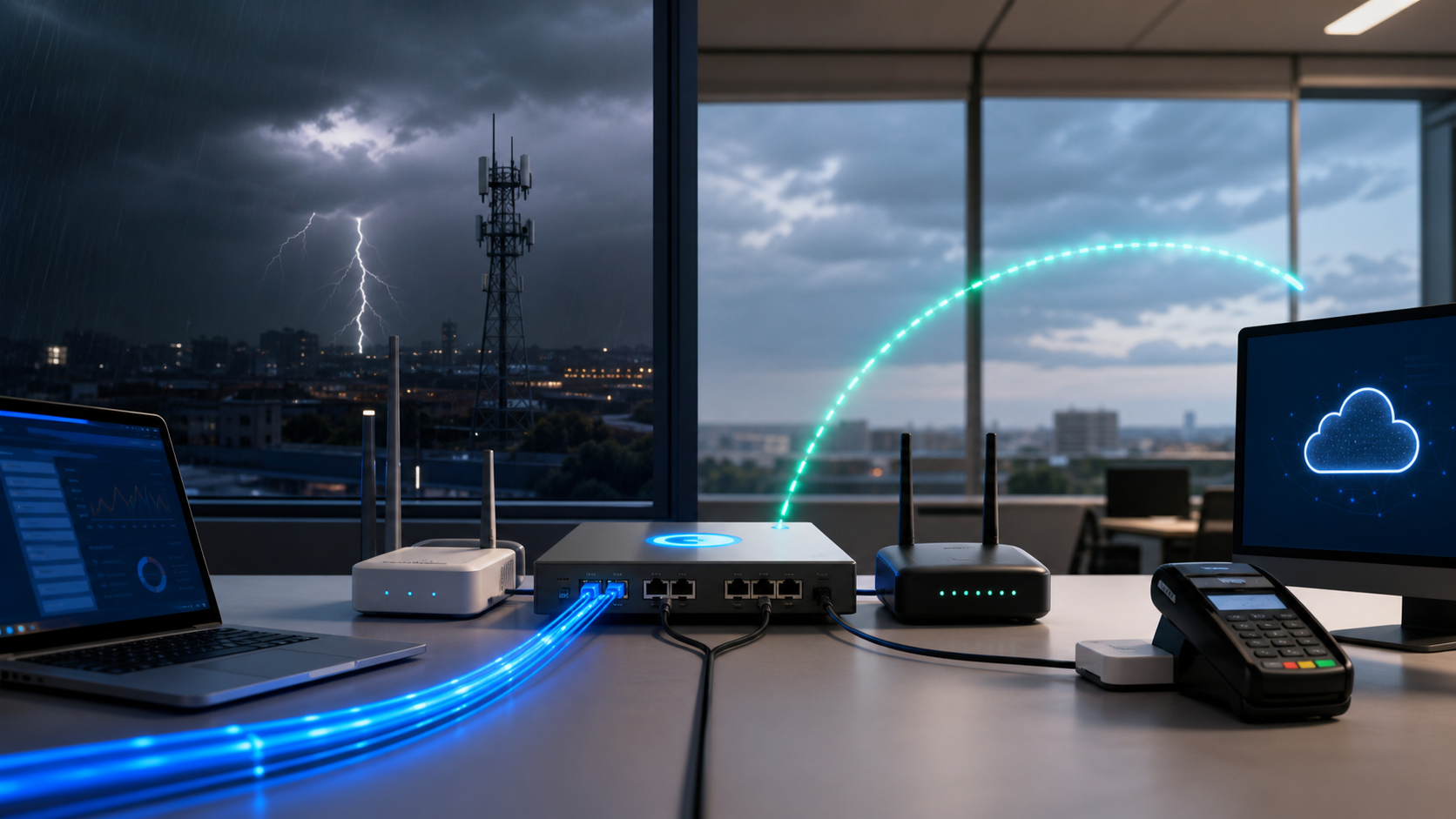
Protecting Your Operations with a Failover Internet Connection
Imagine a busy Tuesday morning where your team is midway through a critical video training session or a client presentation over Zoom, and the screen suddenly freezes. For modern Australian businesses, an internet outage isn't just a minor annoyance; it is a total work stoppage that cuts off access to cloud-based accounting software, customer databases, and VOIP phone systems. Implementing a failover internet connection ensures that when your main service goes down, your office remains online without anyone having to scramble under a desk to swap cables or reset modems.
While many business owners use the terms "redundancy" and "failover" interchangeably, they represent two different parts of a safety net. Redundancy refers to having a redundant internet connection—essentially a spare line waiting to be used—whereas failover is the intelligent mechanism that handles the switch. Without a failover system in place, your secondary line is just a dormant expense that requires manual intervention to activate during a crisis.
The Role of Failover in Your Business Continuity Plan
A business continuity plan is a foundational requirement for any organisation that relies on digital operations to stay profitable. The Australian Cyber Security Centre (ACSC) frequently highlights the importance of availability in their security guidelines, noting that being "offline" can be just as damaging to a brand as a data breach. By automating your connectivity, you ensure that customer service representatives can continue to answer enquiries and sales teams can process orders even if a local NBN node fails.
To manage this process effectively, most businesses will need a dual-WAN router. This specific piece of hardware acts as the "brain" of your network, constantly monitoring the health of your primary link. If it detects a drop in speed or a total loss of signal, it instantly reroutes all data traffic through the secondary connection. This switch often happens so quickly—usually in a matter of seconds—that your employees might not even notice an outage has occurred.
Relying on manual switches is a risky strategy that often leads to prolonged downtime while waiting for an IT person to arrive. Automated systems provide the peace of mind that your cybersecurity and operational uptime are maintained regardless of external service provider issues. Investing in this infrastructure is one of the most effective ways to protect your bottom line from the unpredictable nature of modern telecommunications. Moving beyond simple hardware, the next step involves understanding how to bridge your existing equipment for a seamless integration.
Choosing the Right Hardware: The Dual-WAN Router
Most standard modems supplied by Australian ISPs are designed to do just one thing: connect to a single line. To build a truly resilient network, you need a device capable of juggling two different "conversations" at once. This is where a dual-WAN router becomes the heart of your failover internet connection strategy, acting as an intelligent traffic controller that monitors the health of both lines simultaneously to prevent downtime. By using a router with multiple "Wide Area Network" (WAN) ports, you can keep a secondary line on standby, ready to take over the second the primary signal drops.
Integrating Your NBN Connection and Bridge Mode
When you sign up for a business NBN plan, the provider usually gives you a combined modem-router. For a professional setup, you should ideally use this ISP-provided equipment merely as a gateway rather than your primary network manager. This involves logging into the device's settings and enabling "Bridge Mode," which disables its internal routing and Wi-Fi functions. This allows the raw internet signal to pass directly to your secondary dual-WAN router, which then handles the security, DHCP, and failover logic for your entire office.
Understanding Active/Passive vs. Active/Active Modes
Once your hardware is in place, you need to decide how your redundant internet connection will behave. The most common setup for a business continuity plan is "Active/Passive" (or Failover) mode. In this configuration, your primary line handles all the traffic while the secondary line stays idle, only springing into action if the first line fails. This is ideal if your backup connection has limited data or higher latency, such as a satellite or mobile link.
Alternatively, "Active/Active" (or Load Balancing) mode allows both connections to work at the same time. The router spreads the data load across both lines, which can increase your total available bandwidth during normal operations. This is a popular choice for businesses using cloud solutions that require high throughput, though it requires more advanced configuration to ensure that sensitive sessions, like banking or secure portals, don't "break" when traffic switches between two different IP addresses.
Practical Hardware for 4G Failover Australia
For many small-to-medium businesses in Australia, the most cost-effective backup is a cellular connection. When shopping for hardware, look for routers that specifically support 4G failover Australia via a built-in SIM card slot or a high-speed USB port. Many modern business-grade routers allow you to plug in a 4G/5G USB dongle which the router treats as a second WAN input. This setup is incredibly flexible, as it allows you to move the 4G modem or antenna to a position in the office with the best signal strength, regardless of where your main NBN point is located.
If you find the technical side of networking overwhelming, partnering with a provider for managed IT services can ensure your hardware is configured correctly from day one. Choosing the right "brain" for your network is only half the battle, as the physical path that data takes into your building is just as important for true reliability.
Achieving True Carrier Diversity for Better Reliability
Many businesses believe they are protected simply because they pay for two internet lines, but if both of those lines run through the same local exchange or the same physical trench, they share a "single point of failure." Sourcing your backup from the same carrier as your primary link is like having two sets of keys for your office but keeping them both on the same keyring—if you lose the ring, you are still locked out. For a truly resilient failover internet connection, you must ensure your data takes two completely different paths to reach the global web. If your primary and secondary connections use the same underlying hardware, you are only half-protected against a total blackout.
True carrier diversity means choosing two providers that do not share the same network infrastructure or upstream backbone. In Australia, many small providers simply "white label" or resell services from the major telcos like Telstra or Optus. If your primary connection is an NBN service, your backup shouldn't just be another NBN plan from a different retail provider. If the NBN backbone in your suburb has a major outage, both connections will fail simultaneously regardless of who sends you the monthly bill. A robust business continuity plan involves pairing a fixed-line service with a wireless alternative like 4G failover Australia, ensuring that a network-wide carrier glitch doesn't leave your team idle.
Beyond the digital network, you also have to consider what technicians call the "beaver effect"—a reference to how physical damage to cables, caused by anything from hungry wildlife to a stray excavator on a construction site, can sever your connection. Even if you use two different carriers, they may still have their cables buried in the same council trench outside your front door. If a backhoe catches those cables, your internet will go dark instantly. Diversifying your connection types—for example, using a fixed-line NBN service and a 4G LTE backup—provides a physical separation that keeps you online even when the "beaver" strikes your street's infrastructure.
Auditing Your Redundant Internet Connection
To ensure your setup is actually diverse and capable of keeping you online, you should perform a quick audit of your current service providers. This ensures that you aren't paying for two services that rely on the exact same infrastructure. If you are unsure about the specifics, your managed IT partner can often run a trace to see where your data is actually travelling.
- Identify the "Upstream" provider: Ask your current ISPs if they own their own infrastructure or if they are reselling someone else's. If both use the same wholesale network, they are not diverse.
- Check the physical entry point: Look at where the cables enter your building. If everything comes through one single conduit, a single accident could cut both lines.
- Review your dual-WAN router: Check your
dual-WAN routerlogs to ensure your backup line is active and has a strong signal, rather than being a "ghost" service that hasn't been tested in months.
Confirming that your providers are truly independent of one another is the only way to guarantee that your failover will actually work when you need it most. Once you have established carrier diversity, the next step is deciding which specific technology will best serve as your second line of defence.
Comparing Wired vs. Wireless Backup Options
Physical infrastructure is more vulnerable than many business owners realise, especially when a single excavator bucket at a nearby construction site can sever every cable leading into your building. Selecting the right medium for your failover internet connection involves balancing speed, cost, and "path diversity"—the idea that your backup should travel a completely different route than your primary line. If both your main NBN service and your backup DSL line run through the same underground pipe, a single incident can render your entire business continuity plan useless.
The Pros and Cons of a Wired Redundant Internet Connection
For many Australian businesses, using a secondary wired connection like a lower-tier NBN plan or a legacy copper line seems like the simplest choice. These connections are often stable and offer predictable monthly costs, making them easy to fit into a budget. However, wired backups often suffer from shared infrastructure risks; if the local exchange has a power failure or the street-level pit is flooded, both your primary and redundant internet connection may fail simultaneously. While a secondary fibre line offers incredible speeds, the high monthly cost and installation fees can be hard to justify for a service that ideally sits idle most of the time.
Why 4G Failover Australia is Often the Superior Choice
A wireless 4G failover Australia solution provides a genuine "air gap" that protects your business from physical cable damage. Because the signal travels through the air to a mobile tower, it remains completely unaffected by local roadworks, accidental "beaver-like" cable chewing by wildlife, or fallen utility poles. For most SMBs, 4G or 5G speeds are more than sufficient to keep critical cloud solutions like Xero, Microsoft 365, and email running smoothly until the main line is repaired.
Optimising Your Wireless Signal and Antenna Placement
The effectiveness of a wireless backup depends entirely on signal strength. If your server rack is tucked away in a basement or a windowless "comms cupboard," your router may struggle to maintain a stable 4G connection. To ensure your business stays online when it matters most, follow these placement best practices:
- Prioritise line-of-sight: Place your wireless router or its external antennas near a window, preferably on a higher floor of the building.
- Avoid interference: Keep the 4G hardware away from large metal objects, microwave ovens, and thick concrete walls that can degrade the signal.
- Use external high-gain antennas: If you are in an area with patchy coverage, mounting an antenna on the roof or an external wall can significantly boost reliability.
- Test the "dead zones": Use a mobile device on the same network to check signal bars in different parts of the office before permanently mounting your hardware.
By opting for a wireless path, you bypass the physical vulnerabilities of the local NBN grid and gain a truly independent safety net. Once you have chosen your preferred backup medium, the next step is to ensure all the cables are plugged into the right places and the software is ready to take over automatically.
Step-by-Step Configuration and Testing Procedures
Getting your hardware physically connected is the first step toward true operational resilience. Once you have your primary NBN service and your secondary provider ready, the magic happens in how you configure the dual-WAN router to talk to both. This setup ensures your failover internet connection is always on standby, ready to take the reins without a single staff member having to toggle a physical switch or reset a modem.
Physical Connection and Port Assignment
Before diving into software settings, you must ensure the physical path for your data is correctly established. Most business-grade routers have dedicated ports for multiple internet sources, and keeping these organised is vital for long-term troubleshooting.
- Identify the ethernet cable coming from your primary NBN connection box and plug it into the port typically labelled
WAN1on your router. - Take the cable from your secondary modem — such as a 4G failover Australia gateway — and plug it into the
WAN2orSecondary WANport. - Log into your router's web-based management interface using its local IP address (usually found on a sticker on the device).
- Locate the "Multi-WAN" or "Internet Settings" menu to confirm the router detects a signal on both ports.
Setting the Health Check Thresholds
For your router to know exactly when to switch to the redundant internet connection, it needs to perform a "health check." This involves the router sending a small "ping" or request to a reliable server on the internet every few seconds. If the server doesn't respond after a set number of attempts, the router assumes the primary line is down and triggers the switch.
- Navigate to the "Connectivity Check" or "Health Monitoring" section within your WAN settings.
- Set the target IP addresses to highly reliable, public DNS servers like Google (
8.8.8.8) or Cloudflare (1.1.1.1). - Configure the failover threshold: A common standard for Australian SMBs is to trigger a failover if three consecutive pings fail over a 10-second window.
- Ensure the "Recovery" setting is also enabled, so the router automatically moves traffic back to the primary line once the NBN service is restored.
The 'Pull the Plug' Reality Test
A business continuity plan is only as good as its last successful test. You should never assume the system works until you have physically verified it during a controlled environment. Schedule a five-minute window outside of peak hours and physically disconnect the cable from the WAN1 port. Watch your router's status lights; within seconds, the WAN2 indicator should become active, and your office devices should maintain their internet access. If the connection drops and doesn't return, you may need to check your "Default Gateway" settings in the router interface.
Documenting the Failover Details
Finally, record every detail of this configuration. Ensure your internal team or your managed IT provider has a clear document containing the ISP account numbers, support phone numbers, and the specific router port assignments. If the failover triggers, you will need this information quickly to report the primary outage to your main provider. Keeping these details accessible ensures that even if you aren't in the office, your business stays operational and your staff knows exactly who to call to get the primary line back online. Effective documentation is the final piece of the puzzle in maintaining a truly resilient network.
Maintaining Your Redundant Internet Connection for the Future
Building a safety net for your digital operations is a major milestone, but a "set and forget" mentality is the quickest way to find yourself offline when disaster strikes. A failover internet connection only provides value if it is functional at the exact moment your primary service drops out. Without routine maintenance, you might discover too late that a credit card on the account has expired or a SIM card was deactivated by the carrier due to months of inactivity.
Routine Health Checks for Your Backup Line
Think of your redundant internet connection like a fire extinguisher; it needs to be inspected regularly to ensure it is ready for an emergency. Australian ISPs often cycle their network protocols or update tower configurations, which can sometimes cause an idle connection to lose its "handshake" with the local exchange. If the hardware hasn't been used in six months, it may fail to authenticate just when you need it most.
To ensure your backup remains reliable, perform these simple steps as part of your regular office maintenance:
- Log into your dual-WAN router dashboard and verify that the secondary port status is listed as "Connected" or "Standby."
- Check your ISP billing portal to confirm that the payment method for your secondary line is current and active.
- Conduct a brief "pull the plug" test after hours to ensure the system still handles the transition automatically.
- Update the firmware on your networking hardware to ensure the latest stability patches are in place.
Monitoring Usage to Prevent Bill Shock
When a primary outage occurs, your team will likely continue working as usual, often unaware that they are now consuming data through a 4G failover Australia service. While wireless plans are excellent for emergencies, they often have significantly smaller data caps than a standard business NBN line. If your primary connection remains down for several days, your business could quickly exceed its data limit, leading to throttled speeds or unexpected "bill shock" on the next invoice.
Most modern routers allow you to set data alerts specifically for the backup WAN port. By configuring these notifications, you can receive an automated email or SMS when the backup line has reached 50% or 80% of its monthly allowance. This gives you the opportunity to pause non-essential background tasks, such as large file backups or software updates, until your primary fibre or fixed-line service is restored.
Evolving with Your Business Needs
As your organisation grows and adopts more cloud solutions, your reliance on constant uptime will only increase. What worked for a small team of five might not be sufficient once you reach twenty staff members who all rely on real-time video calls and intensive database access simultaneously. Your business continuity plan should be a living document that scales alongside your technology stack and headcount.
If managing these technical checks becomes a burden for your internal team, partnering with a managed IT provider can ensure these systems are monitored 24/7. Professional monitoring tools can alert technicians the moment a backup line fails its heartbeat check, ensuring your safety net is mended before a real crisis occurs. Ultimately, a robust, automated connectivity strategy provides the peace of mind required to focus on your core business goals without the constant fear of a local network failure. Drawing all these elements together—hardware, carrier diversity, and ongoing maintenance—creates a truly resilient workplace ready for any digital challenge.
Frequently Asked Questions
What is the difference between redundancy and failover?
Redundancy is the presence of a second, spare internet circuit waiting to be used. Failover is the automated process or mechanism that detects a failure on the primary line and switches traffic to the redundant circuit without human intervention.
Does my business need a dual-WAN router for failover?
Yes, in most cases a dual-WAN router is necessary because standard consumer routers only have one port for internet input. A dual-WAN router allows you to connect two different ISPs simultaneously and manage the priority between them.
Can I use 4G or 5G as a backup connection in Australia?
Absolutely. In fact, using a 4G or 5G wireless connection as a failover is often safer than a second wired line because it remains operational even if the physical cables in your street are accidentally cut during construction.
Sources
- https://itel.com/blog/internet-failover-for-business-continuity/
- https://community.spiceworks.com/t/how-to-set-up-a-failover-backup-internet-connection/700875
- https://www.fusionconnect.com/blog/how-to-set-up-automatic-failover-and-know-its-working
- https://rcntechnologies.com/internet-failover-in-2025-how-small-businesses-stay-online-when-wi-fi-goes-down/
- https://gocorptech.com/business-it-101/internet-failover-plan-for-business/
- https://apxnet.com/internet-failover-for-businesses/
Need Expert IT Help?
Still stuck, or want this handled professionally? Our technicians provide fast remote and on-site IT support across Australia. Whether it's a one-off issue or ongoing support for your whole team, we've got you covered. Get in touch with OnIT Solutions today.
Further reading from OnIT Solutions
For related implementation guidance, see this OnIT Solutions service page and this supporting resource. These links help connect the article to practical next steps for Sydney businesses reviewing support, security, cloud or automation decisions.

