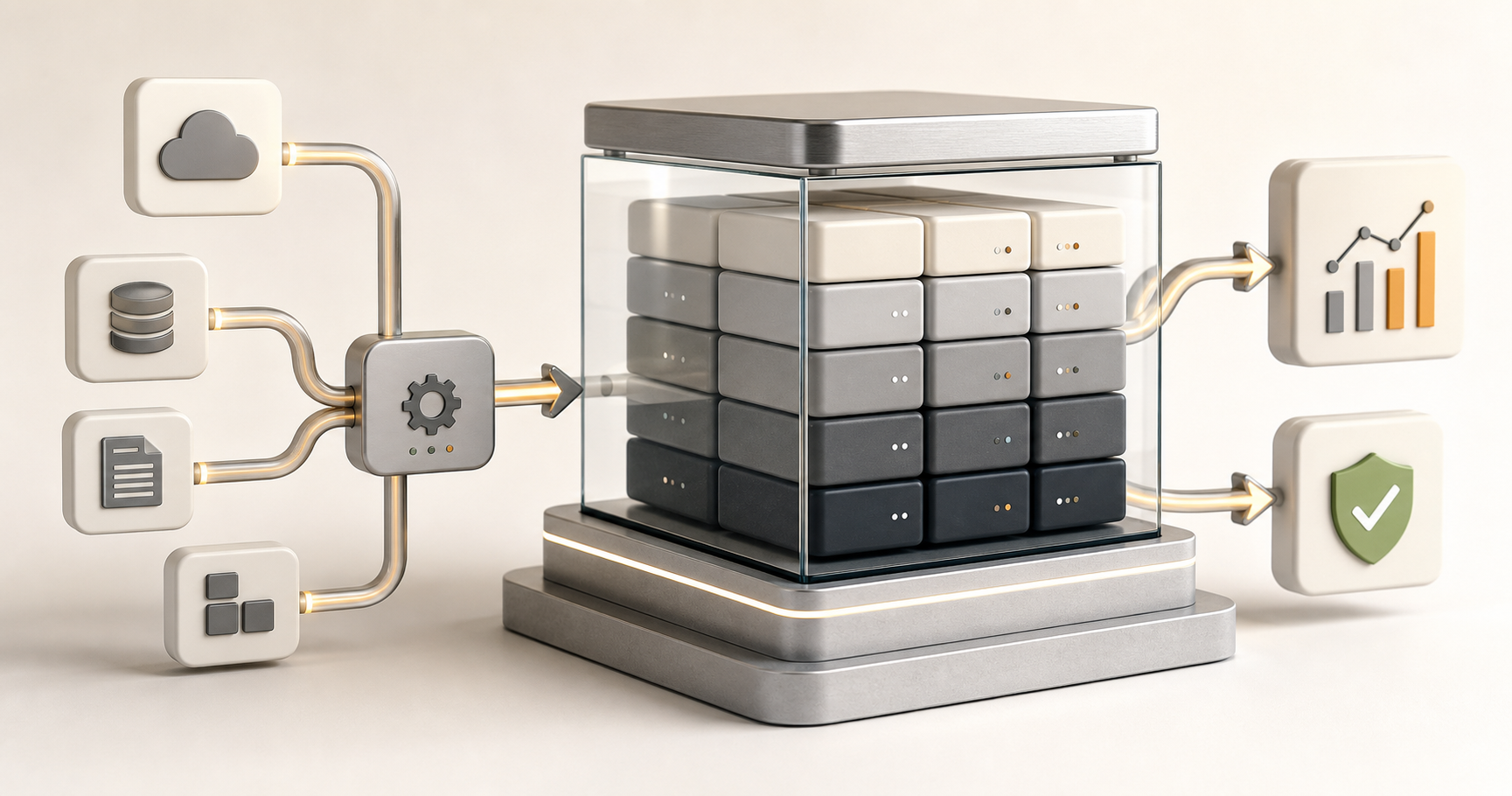
A data warehouse is essentially a big, organized storage system for your business data. Think of it like a library versus a regular filing cabinet. A filing cabinet (your regular database) is great for day-to-day operations—quick access to specific files. But a library (data warehouse) is designed for deeper analysis—it's organized for research, with everything catalogued and cross-referenced so you can find patterns and insights.
But here's what most people don't realize: a data warehouse isn't just storage. It's the foundation of data-driven decision-making. Without it, you're making decisions based on incomplete information, gut feelings, or data that's locked away in systems you can't easily access. With it, you have the foundation to actually understand your business and make informed decisions.
The Problem Most Businesses Face
Most businesses have data everywhere:
- Customer data in your CRM
- Sales data in your point-of-sale system
- Financial data in your accounting software
- Marketing data in your email platform
- Website data in your analytics tool
- Inventory data in your warehouse system
Each system has its own data, its own format, its own structure. Getting a complete picture? That's nearly impossible. You end up making decisions based on partial information, or spending hours manually combining data from different sources.
"We thought we understood our business. But when we actually looked at all our data together in a data warehouse, we found insights we never knew existed. Customer segments we didn't know about. Product combinations that sold well together. Seasonal patterns we were missing. It changed how we run the business."
That's from a client who thought they had a handle on their data. The reality was different.
What a Data Warehouse Actually Is
A data warehouse is a specialised database designed for analysis, not transactions. Here's what that means:
Optimised for Analysis
Your operational systems (CRM, accounting, POS) are optimised for transactions:
- Fast writes (adding new records)
- Fast individual lookups
- Real-time updates
- Transaction integrity
A data warehouse is optimised for analysis:
- Fast reads across large datasets
- Complex queries
- Aggregations and calculations
- Historical analysis
The difference is like the difference between a cash register (optimised for individual transactions) and a spreadsheet (optimised for analysis).
Organized by Subject, Not Application
Operational systems organize data by application:
- CRM has customer data organized for sales
- Accounting has financial data organized for bookkeeping
- Inventory has product data organized for stock management
A data warehouse organizes data by subject:
- All customer data together (from all systems)
- All product data together (from all systems)
- All sales data together (from all systems)
This makes it easier to analyse business performance across different areas.
Cleaned and Standardized
Data from different systems has different formats:
- One system calls customers "clients"
- Another uses "customers"
- One uses "AUD" for currency
- Another uses "$"
- One stores dates as "2025-01-15"
- Another uses "15/01/2025"
A data warehouse standardizes all this:
- Consistent naming
- Consistent formats
- Consistent structures
- Data quality checks
This consistency makes analysis possible.
Historical Data
Operational systems often only keep recent data:
- Maybe the last 3-6 months
- Or the last year
- Then they archive or delete
A data warehouse keeps years of history:
- 3 years, 5 years, 10 years
- All accessible for analysis
- Enables trend analysis
- Enables year-over-year comparisons
History enables insights you can't get from recent data alone.
How Data Warehouses Work
Understanding the architecture helps you see why they're powerful
The ETL Process
ETL stands for Extract, Transform, Load:
Extract: Get data from source systems
- Connect to your CRM, accounting, POS, etc.
- Pull out the data you need
- Handle different formats and structures
Transform: Clean and standardize the data
- Standardize formats (dates, currencies, etc.)
- Clean errors and inconsistencies
- Combine related data
- Calculate derived values
- Validate data quality
Load: Put data into the warehouse
- Organize by subject area
- Create indexes for fast queries
- Update existing records or add new ones
This process usually runs on a schedule (nightly, weekly) to keep the warehouse up to date.
Data Models
Data warehouses use specific models to organize data:
Star Schema
A common model where:
- Fact tables contain measurements (sales, transactions, events)
- Dimension tables contain descriptive data (customers, products, time)
- Facts connect to dimensions
This structure makes queries fast and intuitive.
Snowflake Schema
A variation where dimensions are normalized (broken into multiple tables). More normalized, but can be more complex to query.
The right model depends on your needs and query patterns.
Why Data Warehouses Matter
Here's why they're valuable:
Single Source of Truth
Instead of data scattered across systems, you have one place:
- All customer data together
- All sales data together
- All product data together
- Consistent, reliable, accessible
This is your single source of truth for analysis.
Complex Analysis
You can answer questions that require data from multiple systems:
- Which products are most profitable by customer segment?
- How has customer behaviour changed over 3 years?
- What's the correlation between marketing spend and sales?
- Which regions are growing fastest?
- What's the lifetime value of customers by acquisition channel?
These questions are hard or impossible without a data warehouse.
Historical Analysis
You can analyse trends over time:
- Year-over-year comparisons
- Seasonal patterns
- Long-term trends
- Growth trajectories
History enables insights you can't get from recent data.
Performance
Data warehouses are optimised for analysis:
- Fast queries even on large datasets
- Efficient aggregations
- Parallel processing
- Optimised indexes
You can get answers quickly, even with lots of data.
Business Intelligence
Data warehouses enable business intelligence:
- Dashboards and visualizations
- Reports and analytics
- Data exploration
- Self-service analytics
Your team can explore data and find insights without IT help.
Real-World Use Cases
Here's how businesses use data warehouses:
Customer Analytics
Understand your customers:
- Customer segmentation
- Lifetime value analysis
- Churn prediction
- Purchase behaviour
- Cross-sell and upsell opportunities
All customer data in one place enables deep customer insights.
Sales Analysis
Understand your sales:
- Sales by product, region, channel
- Sales trends over time
- Sales team performance
- Conversion rates
- Pipeline analysis
Sales data from all sources enables comprehensive sales analysis.
Financial Analysis
Understand your finances:
- Revenue by product, customer, region
- Cost analysis
- Profitability analysis
- Budget vs. actual
- Financial trends
Financial data from all systems enables complete financial analysis.
Marketing Analysis
Understand your marketing:
- Campaign performance
- Channel effectiveness
- Customer acquisition costs
- ROI by channel
- Attribution analysis
Marketing data from all sources enables comprehensive marketing analysis.
Operational Analysis
Understand your operations:
- Inventory levels and trends
- Supply chain performance
- Operational efficiency
- Resource utilization
- Process bottlenecks
Operational data from all systems enables operational insights.
Building a Data Warehouse
If you're thinking about building one, here's what to consider:
Cloud vs. On-Premise
Most modern data warehouses are cloud-based:
- No infrastructure to manage
- Scales automatically
- Pay for what you use
- Regular updates and maintenance handled
- Better performance
On-premise is possible but requires significant infrastructure investment.
Choosing a Platform
Options include:
- Amazon Redshift: Good if you're on AWS
- Google BigQuery: Good for analytics-heavy use cases
- Microsoft Azure Synapse: Good if you're on Microsoft's platform
- Snowflake: Good for multi-cloud or complex needs
The right choice depends on your cloud platform, needs, and budget.
Data Sources
Identify your data sources:
- CRM systems
- Accounting systems
- E-commerce platforms
- Marketing tools
- Operational systems
- External data sources
You'll need to connect to all of them.
ETL Tools
You'll need ETL tools:
- Cloud-native tools (AWS Glue, Azure Data Factory)
- Third-party tools (Fivetran, Stitch, Talend)
- Custom scripts
The right tool depends on your needs and technical capabilities.
Data Modeling
Design your data model:
- What are your fact tables? (what you're measuring)
- What are your dimension tables? (how you're describing)
- How do they relate?
- What aggregations do you need?
Good modeling makes queries fast and intuitive.
Governance
Establish governance:
- Who can access what data?
- What's the data quality process?
- How is data documented?
- What are the update schedules?
- How are issues handled?
Governance ensures data quality and appropriate access.
Common Challenges
Data warehouses come with challenges:
Data Quality
Garbage in, garbage out:
- Source data has errors
- Inconsistent formats
- Missing data
- Duplicate records
You need processes to ensure data quality.
Complexity
Data warehouses can be complex:
- Multiple data sources
- Complex transformations
- Large datasets
- Performance optimization
- Ongoing maintenance
Plan for complexity. It's not trivial.
Cost
Data warehouses can be expensive:
- Storage costs
- Compute costs
- ETL costs
- Tool costs
- Maintenance costs
Monitor costs. Optimise usage.
Time to Value
Building a data warehouse takes time
- Planning and design
- Development
- Testing
- Deployment
- User adoption
Don't expect immediate results. It's an investment.
The Modern Data Stack
Modern data warehouses are part of a larger stack:
Data Sources
Where your data lives (CRM, accounting, etc.)
ETL/ELT Tools
Tools that move and transform data
Data Warehouse
Where your analytical data lives
BI Tools
Tools for visualization and analysis (Tableau, Power BI, Looker)
This stack enables end-to-end data analytics.
The Bottom Line
A data warehouse is the foundation of data-driven decision-making. It brings together all your data, cleans and standardizes it, and makes it accessible for analysis. Without it, you're making decisions based on incomplete information. With it, you have the foundation to actually understand your business.
Building a data warehouse is an investment. It takes time, money, and effort. But for businesses that want to make data-driven decisions, it's often essential. It's where you bring together all your data so you can actually use it for insights, rather than having it locked away in separate systems.
Start with understanding your needs. Identify your data sources. Choose a platform. Design your model. Build incrementally. Prove value. Then expand. Before you know it, you'll have a data warehouse that transforms how you understand and run your business.

